⌘ K ✕

AI Sales Agent

Qualify, score, and follow up with leads automatically.

AI Customer Support Agent

24/7 autonomous support with deep knowledge retrieval.

Enterprise Knowledge Copilot

Unified AI interface for all company documentation.

AI Workflow Engine

Orchestrate complex business logic with multi-agent flows.

AI Operations Dashboard

Real-time monitoring for your entire AI fleet.

Lead Intelligence System

Deep research and enrichment for every inbound lead.

Finance Review Agent

Automated auditing and expense categorization.

Custom AI Product

Bespoke AI systems built for your specific requirements.
AI Product Studio

Let's Design Your AI Advantage

2 + 8 =

Let's Design Your AI Advantage

6 + 5 =
Last Updated: October 7, 2026

How AI Agents Are Automating Supply Chain Operations in 2026

Anuj Kumawat

17 min read

Quick Summary

Key highlights at a glance.

AI Agents in Supply Chain Operations automating demand forecasting, logistics, and risk management

Quick Summary

Key highlights at a glance.

A port closes for three days. A key supplier misses a shipment. A promotion shifts demand forward by two weeks. In most companies, these events trigger the same routine: someone exports ERP data, updates spreadsheets, emails multiple teams, and waits for answers. By the time a decision is made, the opportunity to act may have passed.

AI agents help address these delays. Unlike dashboards that only highlight problems, they analyse live data, recommend next steps, and take action through existing systems, with human approval for important decisions.

Gartner forecasts that spending on supply chain software with agentic AI will grow from under $2 billion in 2025 to $53 billion by 2030. It also predicts that 60% of enterprises using supply chain software will adopt agentic features by 2030, up from 5% in 2025.

For CTOs and founders, the key questions are where AI agents fit, what they cost, and how to implement them while managing risks.

This guide covers how AI agents work, which supply chain operations they can automate, how they compare with traditional automation, their development costs, and the steps involved in implementation.

What Are AI Agents in Supply Chain Operations?

AI agents in supply chain operations showing how they perceive data, reason with AI, take action, and learn across suppliers, transport, warehouses, distribution, and customers.

An AI agent is software that monitors data, makes decisions, and takes action to achieve a specific goal. In a supply chain, that goal might be to keep fill rates above 97% or flag shipments at risk of missing their dock slots.

Unlike chatbots or reports, AI agents go beyond providing information. They follow four stages to turn data into action:

  • Perceive: Collects real-time data from ERP, WMS, TMS, IoT sensors, carrier feeds, and supplier emails.
  • Reason: Analyses the data using ML or LLMs to identify patterns, risks, and possible actions.
  • Act: Takes action, such as drafting a purchase order or rerouting a shipment, automatically or with approval.
  • Learn: Compares results with predictions and adjusts future recommendations.

Think of an AI agent as a junior planner who continuously monitors supply chain data, identifies issues, and asks before making important decisions. Its goal is to improve flow, cut costs, raise service levels, and help businesses handle disruptions.

Why Do Supply Chains Need AI Agents in 2026?

Supply chains face more decisions than planning teams can handle manually. Five key challenges are driving the need for AI agents.

a. Unpredictable disruptions. Tariff changes, extreme weather, port congestion, and sudden demand shifts can disrupt operations without warning. An IBM Institute for Business Value survey  found that geopolitical risks and global trade tensions are major concerns for supply chain leaders.

b. Rising customer expectations. US buyers expect accurate delivery dates and live tracking. When companies miss on-time, in-full (OTIF) targets with major retailers, they may also face chargebacks.

c. Complex global operations. Managing multiple suppliers, cross-border rules, and carriers creates more exceptions than traditional rules-based systems can handle.

d. Cost and margin pressure. With thin margins, even small improvements in inventory turnover and freight costs matter. AI agents help teams find these savings through daily decisions instead of waiting for quarterly reviews.

e. Data overload. Most companies already collect large amounts of data. The real challenge is turning that data into action quickly. AI agents help teams make faster decisions based on it.

The workforce also needs to adapt. In a Gartner survey of supply chain leaders, 86% said adopting agentic AI will require new processes to develop future talent. This shows that AI agents will change how supply chain teams work, not just the tools they use.

Which Supply Chain Areas Can AI Agents Automate?

AI agents work best in areas that involve frequent decisions, clear data, and measurable results. Here are eight areas where companies can use AI agents in supply chain operations.

Area What the agent does What it replaces
Demand forecasting Updates forecasts as sales, promotions, and weather data change Monthly spreadsheet re-forecasts
Inventory optimization Recommends safety stock and flags stockout or overstock risks Static min/max rules
Procurement Drafts purchase orders and compares supplier quotes Manual PO creation and email follow-ups
Supply planning Runs what-if scenarios and balances capacity Ad hoc planning meetings
Logistics and routing Plans routes and reroutes loads to avoid delays Dispatcher phone calls
Warehouse operations Assigns tasks and suggests changes to slotting and picking Fixed shift plans
Quality and compliance Detects anomalies and checks documents automatically Sample-based manual reviews
Risk management Monitors suppliers and shipping routes, then suggests ways to reduce risks Quarterly risk reviews

Companies do not need to automate all eight areas at once. Most teams start with one area where delays already cost money, such as procurement exceptions or carrier delays, and measure the results before expanding.

How Does an AI Agent Workflow Actually Run?

A supply chain agent follows a continuous cycle: sense, think, act, and learn. This process involves six steps, from collecting data to improving future decisions.

1. Data ingestion: The agent collects data from ERP, WMS, TMS, IoT devices, market feeds, and weather services to understand current supply chain conditions.

2. Understand and analyze: It cleans the data, identifies patterns, and flags problems, such as repeated delays in a supplier’s delivery times.

3. Plan and decide: It compares possible solutions based on cost and service impact, then recommends an action that fits the situation.

4. Act and execute: It carries out approved actions in connected systems through APIs or sends its recommendations to a person for approval.

5. Monitor: It tracks the results in real time and checks whether the action worked as expected.

6. Learn and improve: It uses the results to improve its models, helping the agent make better decisions when similar situations arise in the future.

Which Parts of a Supply Chain AI Agent Architecture Do You Actually Need?

When planning a supply chain AI agent, you will come across several technical terms. Here is what each one means and when you may need it.

  • Large language model (LLM): The reasoning engine that reads text, follows instructions, and writes responses. You need one when the agent handles emails, contracts, or open-ended questions. Number-based tasks, such as forecasting, often rely on traditional machine learning models instead.
  • APIs and connectors: These connect the agent to your ERP, WMS, or carrier portals. Without them, the agent can only provide recommendations, not take action. Building these integrations often requires the most engineering effort.
  • Embeddings and vector databases: Embeddings turn text into numbers that capture meaning. A vector database stores them so the agent can quickly find related documents, such as contract clauses about late-delivery penalties.
  • RAG (retrieval-augmented generation): RAG lets the agent look up your documents before answering. It keeps responses grounded in your SOPs, supplier terms, and policies rather than general knowledge.
  • MCP (Model Context Protocol): MCP is an open standard that gives agents a consistent way to connect to tools and data sources. It can reduce custom integration work as you add more agents.
  • Fine-tuning: Fine-tuning trains a model further on your own data to handle specific tasks. Most supply chain projects do not need it at the start. RAG and good prompts usually cover early needs at a lower cost.

For infrastructure, most US companies use AWS, Azure, or Google Cloud, often within their existing virtual private cloud. This keeps data close to the ERP and simplifies security reviews. Teams planning these systems can also explore AI agent development to understand the different stages, from model selection to deployment. 

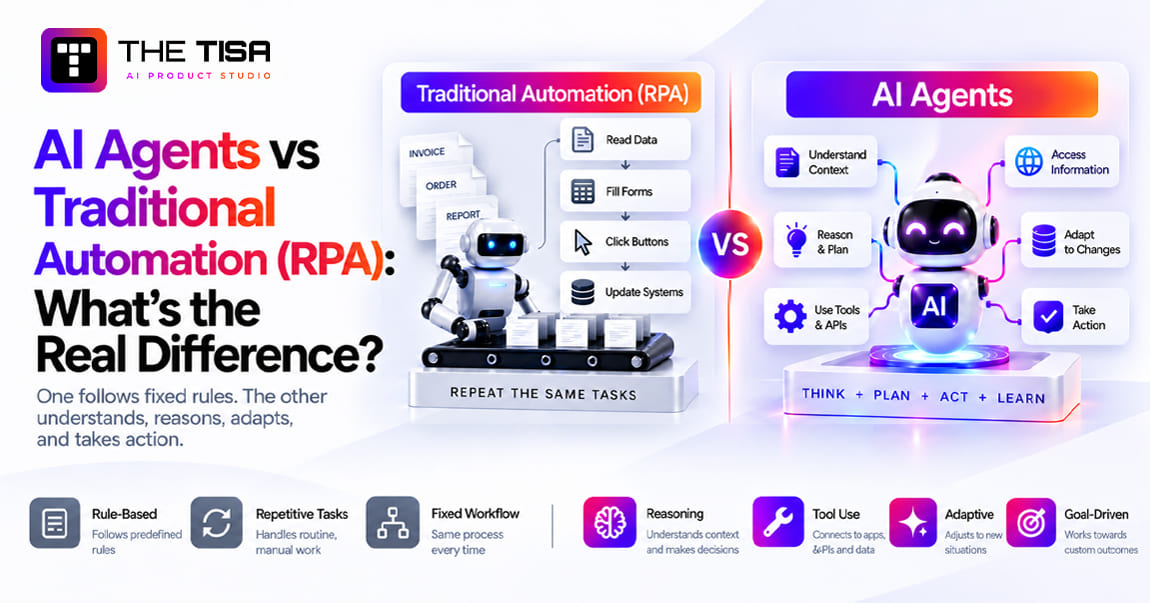
AI Agents vs Traditional Automation: Which One Fits Your Process?

Use traditional automation for stable, rule-based tasks. Use AI agents where inputs vary, exceptions are common, and decisions need context. Most mature supply chains end up running both. The table below highlights their key differences.

Aspect Traditional automation (RPA, scripts, rules) AI agents
Decision making Follows fixed rules written in advance Makes context-aware choices based on live data
Adaptability Breaks when formats or conditions change Adjusts to new patterns and inputs
Exceptions Sends them to a person Resolves routine ones and escalates the rest
Data usage Uses structured data only Handles structured and unstructured data, such as emails, PDFs, and notes
Scalability Needs new rules for every new case Extends to related tasks with less rework
Improvement Stays the same until someone updates it Improves based on outcomes over time
Cost to run Low and predictable Higher, with model and monitoring costs

For example, an RPA bot can copy a confirmed ship date from a supplier portal into the ERP. An AI agent can read a supplier’s email saying “partial shipment next Tuesday,” check open orders, calculate stockout risks, and suggest a split order with an alternate supplier.

However, not every tool marketed as an AI agent offers these capabilities. Gartner has warned about agent washing in supply chain planning software, where vendors rebrand existing tools as agentic without real autonomy. Ask vendors to show how their tools make and execute decisions, rather than simply generate reports. A closer look at AI agents vs traditional automation helps explain how their capabilities differ.

Where Do AI Agents Deliver Real Business Impact?

Agents create value in six areas that leadership teams already track, as shown below.

Business impact What it means in practice
Lower costs Less excess inventory, fewer expedited shipments, and lower procurement costs
Faster deliveries Shorter lead times and better OTIF performance
Higher accuracy Better demand, inventory, and ETA predictions
Resilience Faster responses to disruptions so operations keep running
Sustainability Optimized routes and fuller loads that reduce waste and emissions
Better decisions Real-time, data-backed decisions across the network

Results vary widely by data quality and scope, so be wary of any vendor that promises a fixed percentage before seeing your data. Start with one metric, run a pilot, and measure the change to understand the actual impact.

Use Cases by Industry

a. Retail and CPG: Demand sensing, automatic replenishment, and promotion planning that adjusts orders as sales data arrives.

b. Manufacturing: Material planning, supplier monitoring, and production scheduling that responds to late parts.

c. Logistics and 3PL: Route optimization, load consolidation, and ETA prediction for shippers who expect live updates.

d. Healthcare: Cold chain monitoring, expiry management, and documentation checks for regulatory compliance.

e. E-commerce: Inventory positioning across fulfillment centers, fast delivery routing, and returns handling.

IBM research also suggests that leaders see agents as practical tools. In its 2025 study, 83% of executives expected AI agents to improve process efficiency and output by 2026.

How Much Does it Cost, and How Long Does it Take?

A focused, single-workflow agent typically costs tens of thousands of dollars and takes a few weeks to build. A multi-agent system covering planning, procurement, and logistics can cost hundreds of thousands of dollars and take several months. The ranges below reflect published 2026 estimates from AI development firms. Treat them as planning numbers, not quotes.

Scope Typical build cost Typical timeline Good fit for
Proof of concept $10,000 to $30,000 3 to 6 weeks Testing one use case on sample data
Single-workflow production agent $25,000 to $80,000 6 to 12 weeks PO exceptions, carrier delay alerts, ETA updates
Integrated agent with RAG and several systems $80,000 to $180,000 3 to 6 months Procurement or planning across ERP, WMS, and TMS
Multi-agent orchestration $120,000 to $400,000+ 4 to 9 months Network-wide planning, risk, and execution

What Drives the Budget Up or Down?

Integrations: Legacy ERPs with limited APIs add cost and risk. If your systems need modernization, plan for that as well. The options for connecting AI with older systems are covered in our guide to AI integration into legacy systems.

Data readiness: Clean master data shortens projects, while duplicate SKUs and inconsistent supplier records can lead to delays.

Autonomy level: An agent that only recommends actions costs less than one that executes them, as execution requires stronger guardrails, audit trails, and testing.

Compliance: Healthcare, food, and defense supply chains require extra validation and documentation.

Also, account for running costs. Model usage, cloud hosting, monitoring, and retraining add monthly expenses. A narrow agent may cost a few hundred dollars a month, while production multi-agent systems can cost thousands. Many teams also budget 15% to 20% of the build cost per year for maintenance.

For US companies with limited internal engineering resources, the decision to build in-house or work with a partner also affects the budget. Hiring a full AI team for one pilot may not make sense. An experienced partner can help you test AI agents in supply chain operations before you decide whether to expand your internal team. The AI agent development cost breakdown covers the costs involved in building these systems.

What Are the Biggest Risks, and How Do You Reduce Them?

The biggest risks are poor data, weak integrations, and a lack of trust from the people who must use the agent. Because agents act on live orders and inventory, small errors quickly turn into real costs, such as reordering stock you already hold. As Supply Chain Management Review points out, once AI agents act on supplier data, its quality becomes a strategic risk rather than a back-office issue. The good news is that each of these risks can be managed through design.

Challenge How a well-built agent handles it
Siloed or poor-quality data Unifies and cleans data from each system before the agent uses it
Complex integrations Uses APIs, connectors, and middleware instead of screen scraping
Change management Keeps humans in the loop with explainable recommendations
Trust and transparency Logs every decision with its reasons and data sources
Security and compliance Applies role-based access, encryption, and data privacy controls

Security and Data Privacy

An agent that can create purchase orders can also make costly mistakes. Give each agent only the permissions it needs and set spending limits that require human approval. Store prompts, tool calls, and outputs in an audit log that your security team can review. If you send data to a third-party model provider, check its retention terms and keep sensitive supplier pricing in your own cloud where possible.

Common Mistakes to Avoid

  • Starting with full autonomy: Begin with recommend-only mode, then increase the agent’s authority as its accuracy improves.
  • Skipping the baseline: Without a starting metric, you cannot prove ROI to finance.
  • Treating it as a one-time build: Supplier networks, carriers, and demand patterns change. Models need regular monitoring.
  • Ignoring the planners: Involve the people who use the agent daily when designing its approval process. Their input affects adoption.
  • Testing only the happy path: Test real-world cases such as partial shipments, duplicate orders, and malformed EDI files.

How Should You Roll Out AI Agents in Your Supply Chain?

Roll out AI agents in five phases, and move to the next one only when the current phase shows measurable results. This approach keeps budgets under control and builds trust with operations teams.

  1. Define goals. Pick one or two high-impact use cases with a clear owner and metric, such as reducing PO exception handling time or improving ETA accuracy.
  2. Assess data and readiness. Check the systems involved, data quality, API access, and process maturity. This step often reveals quick fixes worth making even without AI.
  3. Start a pilot. Build and test the agent on one focused use case in recommend-only mode with a small group of planners.
  4. Measure and optimize. Track ROI against your baseline, tune prompts and models, and refine approval thresholds based on real feedback.
  5. Scale and expand. Roll out to more functions, sites, or regions, and consider connecting agents into a coordinated multi-agent system.

This phased approach matches Gartner’s top supply chain technology trends for 2026, which place decision governance alongside agentic AI. This shows why scaling AI agents in supply chain operations requires auditable, trusted decisions as well as reliable models.

How THE TISA Helps Logistics Teams Move From AI Idea to Production

Getting an agent to work in a demo is the easy part. The harder part is connecting it to real ERP data, earning the trust of planners, and keeping it reliable months after launch. That is where most of THE TISA’s supply chain work happens. The team treats each project as a complete software build, pairing agent development with AI integration services so the agent, its ERP connections, and the screens planners use are designed and tested together.

A typical engagement starts with a short discovery phase. The team maps your current workflow, reviews ERP, WMS, and TMS access, and picks the one decision an agent can own first. From there, it builds the agent, the APIs that connect it to your systems, and the approval screens your planners use every day. Deployment runs on your preferred cloud, with testing against real exception data and monitoring after launch.

For Narsik Logistics, for example, THE TISA integrated AI agents into the company’s logistics control hub to automate planning, optimize deliveries, reduce delays, and improve visibility across the operation.

If you are comparing partners for AI agents in supply chain operations, look past the demo. Ask to see production deployments, proven integration work with ERP and logistics systems, and a clear plan for human approval, audit logs, and security. Pricing should be transparent for both the build and the monthly run costs, and support should continue after launch for monitoring, retraining, and new use cases.

Agents also rarely work alone. Many need a driver mobile app, a supplier portal, or a modernized back end to deliver value, so that surrounding software gets planned alongside the agent from day one. It is the same approach THE TISA takes across logistics, supply chain, and other operations-heavy industries, where AI has to fit into systems teams already depend on.

Conclusion

AI agents help supply chains move from reactive problem-solving to faster, data-backed decisions. The technology is ready for focused use cases, but success depends less on the model and more on data quality, integrations, and human oversight.

Before you invest, evaluate three things. First, pick one decision that costs you money when it is slow or wrong. Second, check whether the data and APIs behind that decision are accessible. Third, decide how much autonomy your team is comfortable giving the agent at the start.

Companies that address these points can deploy AI agents in supply chain operations in months, not years, and expand as they see results. Those that skip them often end up with an expensive demo. Start small, measure honestly, and scale what works.

Frequently Asked Questions

Q1. How much budget should a company plan for its first supply chain AI agent?
Ans. A focused pilot on one workflow, such as purchase order exceptions or ETA alerts, usually costs far less than a full planning system. Additional costs often come from ERP integration, data cleanup, and monthly model and cloud expenses. A realistic budget covers development, the first year of running costs, and ongoing maintenance, not just the initial development quote.

Q2. Can AI agents work with legacy ERP and messy supplier data?
Ans. Yes, but they need some preparation. Older ERPs often require an API or middleware layer before an agent can read and write data safely. Teams should fix duplicate SKUs, outdated lead times, and inconsistent supplier records for the specific workflow they plan to automate. A full data overhaul is rarely necessary before starting.

Q3. What happens if an AI agent makes a wrong call, like ordering the wrong quantity?
Ans. Spending limits, approval rules, and recommend-only modes help prevent an agent from placing costly orders without human approval. These controls keep people involved in high-impact decisions. The agent also logs each action and its reasoning, helping teams trace errors, correct them, and adjust its rules.

Q4. How long does it take before a supply chain AI agent shows measurable results? Ans. A focused pilot can show early results within a few months of going live, provided the team sets a baseline metric before launch. A pilot targeting a costly, high-volume problem can show results sooner. Broader projects involving multiple functions take longer to prove value because they involve more systems and teams.

Q5. What should a company check before choosing an AI development partner for supply chain work?
Ans. Look for practical experience with logistics or ERP integrations, not just chatbot projects. Confirm who owns the code, models, and data after launch, and how the partner will protect sensitive supplier and pricing data. A reliable partner also explains the risks and limitations upfront rather than promising fixed savings before reviewing your data.

Anuj Kumawat

"Anuj Kumawat is an AI/ML professional at THE TISA, with 5+ years of experience in Artificial Intelligence, Machine Learning, and data-driven solutions. He focuses on developing intelligent systems and practical AI/ML solutions for modern businesses."

Scroll to Top
The TISA
Hi there! 👋
How can we help you today?
now