Build With The TISA
⌘ K ✕

AI Sales Agent

Qualify, score, and follow up with leads automatically.

AI Customer Support Agent

24/7 autonomous support with deep knowledge retrieval.

Enterprise Knowledge Copilot

Unified AI interface for all company documentation.

AI Workflow Engine

Orchestrate complex business logic with multi-agent flows.

AI Operations Dashboard

Real-time monitoring for your entire AI fleet.

Lead Intelligence System

Deep research and enrichment for every inbound lead.

Finance Review Agent

Automated auditing and expense categorization.

Custom AI Product

Bespoke AI systems built for your specific requirements.
AI Product Studio

Let's Design Your AI Advantage

2 + 8 =

Let's Design Your AI Advantage

6 + 5 =
Last Updated: October 5, 2026

AI Integration Case Study: How We Connected OpenAI to an Enterprise Platform Managing 6,400+ Student Records

Deepak Kumawat

26 min read

Quick Summary

Key highlights at a glance.

AI integration case study showing OpenAI connected to an enterprise platform managing 6,400+ student records

Quick Summary

Key highlights at a glance.

TL;DR: What This AI Integration Case Study Shows

This AI integration case study shows how THE TISA connected OpenAI to an education institute’s existing systems without replacing them. We linked a new administration platform to the Student LMS, Employee Portal, and public website. We then added OpenAI summaries to reports that management previously reviewed line by line.

  • Client: A multi-branch education institute serving the Singapore market.
  • Project: OpsPilot, an AI-powered enterprise administration platform.
  • Team and timeline: Eight people, six months from discovery to deployment.
  • AI layer: OpenAI for report summaries and operational insights, behind role-based access.
  • Integrations: Student LMS, Employee Portal, institute website, and website enquiries flowing into a CRM through REST APIs.
  • Reported platform scale: 2,850 monthly active users, 6,400+ student records, and 420+ employee records.
  • Core lesson: AI integration works best when data, permissions, and workflows are established before the model is connected.

These figures describe platform adoption and administrative scope. They should be read separately from AI-specific performance or return on investment, which this case study does not quantify.

Why We Are Sharing This Project

AI integration services are often explained through a familiar sequence: define goals, prepare data, select a model, integrate, and scale. That sequence is useful, but it does not show what the work looks like inside an operating business.

Here is one project from discovery through deployment. You will see the problem the institute faced, the systems we connected, where we placed OpenAI, and where we deliberately kept AI out. You will also see the reported scale of the platform and the limitations of the results available.

The client serves the Singapore market. The engineering lessons are relevant to businesses working across disconnected systems. For US companies, Chapter 8 explains the additional questions to review around student records, vendor data handling, enterprise security expectations, and delivery arrangements.

If you want the short project summary, read the OpsPilot case study page. This article covers the decisions, trade-offs, and lessons behind the build.

Chapter 1: What Problem Did the Institute Need AI Integration to Solve?

The institute’s starting point was a data and workflow problem. Information was distributed across departments, which made records harder to find and reports slower to review.

Our client, Albert Joe, runs an education institute with several branches and departments. Academics, HR, finance, admissions, examinations, and placements each maintained records. Some information lived in spreadsheets, some in paper files, and some in separate software.

In the client’s words after launch:

“Earlier, our information was spread across spreadsheets, paper files, and different software, which made records difficult to find and review.”

The immediate requirement was to connect those records and workflows. AI could then help management review the information produced by the connected platform.

The Eight Problems We Heard in Discovery

We ran discovery sessions with departments before development. Eight recurring problems shaped the scope.

Problem Who Felt It Most
Academic and administrative data sat in different systems. Directors and operations teams
Staff could not easily see one student’s complete journey. Academic and admissions staff
Attendance, leave, payroll, and KPIs were maintained separately. HR and finance teams
Leads arrived from multiple sources without centralized follow-up. Counsellors
Each branch needed its own controls, while leadership needed a combined view. Branch managers and owners
Sensitive salary, examination, and financial information needed clearer access restrictions. Department owners and administrators
Long reports took substantial effort to review. Senior management
Separate tools required repeated data entry. Staff across departments

Most of these requirements concern integration, data modeling, and access control. Report review was the clearest initial opportunity for AI.

That distinction shaped the project. Before OpenAI could produce useful summaries, the reporting layer needed reliable records and a defined scope of access.

Why a Basic Administration Panel Would Not Be Enough

The client needed more than screens for adding and editing records. The platform had to:

  • Connect to the Student LMS, Employee Portal, and institute website already in use.
  • Separate branch operations while giving leadership a combined view.
  • Restrict access by role at the module, page, action, and branch levels.
  • Support additional departments, users, and branches.
  • Turn long reports into shorter summaries management could review alongside the source information.

The final requirement introduced AI. The preceding requirements created the foundation that made it useful.

Chapter 2: What Does AI Integration Mean on a Project Like This?

AI integration connects AI models to the systems, data, and workflows a business already uses. The goal is to return useful output inside existing working processes.

For OpsPilot, this meant connecting a new administration platform to existing systems, establishing shared records and workflows, and adding OpenAI to the reporting path.

The work involved four layers.

Layer What We Connected Why It Mattered
System integration Student LMS, Employee Portal, institute website, and internal services Connected the platform to systems already used by staff.
Data integration Student, employee, fee, examination, payroll, and placement records Supported connected profiles, timelines, and reports.
Workflow integration Approvals, website enquiries entering the CRM, and KPI calculation Reduced repeated entry and manual hand-offs.
AI integration OpenAI summaries and operational insights above the reporting layer Helped management review long reports.

The first three layers accounted for much of the overall development effort. The AI layer depended on those connections being available and governed.

What Was in Scope

THE TISA handled product strategy, discovery, UX/UI design, AI architecture, backend and frontend engineering, QA, and deployment.

The scope included:

  • Requirement and workflow mapping across departments.
  • Microservices architecture and database design.
  • Role-based dashboards and access control.
  • Multi-branch management.
  • Student, academic, HR, payroll, accounting, CRM, and placement modules.
  • Reports with Excel and PDF exports.
  • LMS, Employee Portal, and website integration.
  • OpenAI integration for summaries and insights.
  • Security, performance tuning, testing, and deployment.

OpsPilot was therefore a broader enterprise software project with an AI reporting layer. The six-month timeline covered that combined scope.

What Was Deliberately Outside the AI’s Scope

We did not allow AI to change records or approve actions. We did not give it access to information outside the requesting user’s permitted scope.

OpenAI receives authorized report data and returns a summary. A human reviews the summary, checks the source where needed, and decides what to do.

This boundary reduced the number of actions the AI integration needed to support and keep administrative control with people.

Read-only summarization can be a practical starting point for an AI integration. Systems that allow AI to act on records require additional safeguards around authorization, validation, approval, and recovery.

Our AI integration services guide explains the broader planning process.

Chapter 3: What Does the AI Integration Architecture Look Like?

OpsPilot uses a microservices architecture and REST APIs to connect the administration platform with existing systems.

OpenAI sits in the reporting path, behind permission filtering. It is not connected directly to every administrative module.

Read the diagram from top to bottom. User requests pass through authentication and authorization checks. Requests from connected systems also require appropriate integration access.

The reporting layer prepares the information needed for a report. Role and branch restrictions determine which information the requesting user may access before the AI request is prepared.

The Technology Stack

Layer Technology Role in the Integration
Frontend Next.js, Bootstrap Role-based dashboards, departmental navigation, and responsive tables
Backend Node.js, Express.js Business logic and API endpoints
Integration REST APIs Connections between OpsPilot, the LMS, Employee Portal, website, and internal services
Relational data MySQL Student, employee, fee, examination, and payroll records
Flexible data MongoDB Activity logs and AI-related data
AI OpenAI Report summaries and operational insights
Architecture Microservices Separation of services by business function

Three Integration Decisions That Supported the AI Layer

1. Keep the existing systems. We retained the Student LMS and Employee Portal. Staff already used those systems, and replacing them would have expanded development, migration, and training requirements.

Connecting them allowed the project to focus on administration, reporting, and shared workflows.

2. Send website enquiries directly into the CRM. Previously, staff copied website enquiries manually. With the integration, web leads enter the CRM and can be assigned to a counsellor.

This connects the beginning of the admissions journey to the platform used for follow-up.

3. Build a central reporting layer. Administrative modules feed a shared reporting layer. That layer provides the controlled point at which OpenAI is connected.

A defined reporting interface makes it easier to maintain consistent data preparation, permissions, and AI behavior than separate AI integrations across individual modules.

Chapter 4: How Did We Integrate OpenAI While Controlling Access to Sensitive Data?

We integrated OpenAI as a read-only summarization layer behind the platform’s authorization controls.

OpsPilot holds student records, examination results, salary information, and financial data. Its AI requests therefore need the same attention to access boundaries as its dashboards and exports.

The guiding rule was that an AI request should not expand the requesting user’s access.

Five Rules That Shaped the AI Integration

1. Apply existing permissions before the AI request.
Role checks apply at the module, page, action, and branch levels. Data prepared for OpenAI must stay within the user’s authorized reporting scope.

2. Keep summaries separate from source records.
AI output appears in a separate panel and does not overwrite student, financial, or other administrative records. Users can review the underlying report alongside the summary.

3. Keep decisions with administrators.
AI summarizes and highlights information, while administrators approve changes and take action through normal platform workflows.

4. Record relevant audit events.
Audit logs track important actions and changes, including exports, while avoiding unnecessary duplication of sensitive report content.

5. Preserve tighter restrictions on sensitive modules.
Payroll, financial, and examination data has restricted access, and the AI reporting path must preserve those restrictions.

Where OpenAI Adds Value in OpsPilot

The initial use cases were deliberately limited.

Use What the AI Does
Management summaries Condenses long department and branch reports.
Operational insights Highlights information or patterns for review.
Report review Gives leadership a shorter overview beside the report.

A summary is an aid to review. Administrators should check important figures and conclusions against the source, particularly before taking financial, academic, or personnel action.

The Data Flow, Step by Step

  1. A senior administrator opens a report for an authorized branch or institute-wide scope.
  2. The reporting layer gathers the relevant information from business services.
  3. Role and branch permissions determine the information available to that user.
  4. The authorized report data is prepared for an OpenAI request with a structured prompt.
  5. The returned summary appears beside the underlying report.
  6. Relevant activity is recorded for audit purposes.

Structured records are stored in MySQL. Flexible activity data and AI-related data are stored in MongoDB.

This separation supports AI-related information without requiring every output to become part of the core relational record structure.

Access Permission and Provider Data Handling Are Separate Questions

Checking a user’s permissions answers who may access a report. It does not, by itself, answer which fields should leave the application or how an external provider handles them.

An AI integration also needs decisions about:

  • The information necessary for the summarization task.
  • Whether identifying fields can be omitted or replaced by aggregate information.
  • Provider retention and storage settings.
  • Access to saved summaries.
  • Logging of AI inputs and outputs.
  • Deletion and retention requirements.

The project overview here describes the access-control pattern. It should not be interpreted as a claim that every permitted record is suitable for every external AI service.

OpenAI documents endpoint-specific storage and retention behavior in its API data controls guidance. Those settings need to be reviewed for the API features and configuration used.

Why This Matters for Your AI Integration

A reporting endpoint that skips authorization can expose information regardless of how carefully its prompt is written.

Permission enforcement belongs in application and data-access controls. A prompt can describe expected behavior, but it should not serve as the security boundary.

We discuss broader policies in our generative AI governance guide. If you are comparing providers, our vendor-agnostic AI guide explains considerations for avoiding unnecessary dependence on one model provider.

Chapter 5: How Long Does an AI Integration Project Take? Our Six-Month Delivery Process

OpsPilot took six months with an eight-person team, from discovery through deployment.

That timeline included the administration platform, its business modules, system integrations, and AI reporting features. It is not a six-month estimate for adding OpenAI summaries to an already prepared system.

The AI layer came after the data and permission foundations were established.

We followed the stages described in our AI software development process.

1. Discovery and Requirement Analysis

We mapped departmental workflows covering students, academics, HR, attendance, fees, admissions, examinations, leads, payroll, placements, reporting, and branches. We identified activities needing centralized visibility and those requiring restricted departmental or branch access.

2. System Architecture

We organized services around business functions and designed the data structure across MySQL and MongoDB. The architecture needed to support connected records without giving every department unrestricted access to all information.

3. UI/UX Design

We designed departmental navigation, role-based dashboards, and branch selectors. Staff needed to reach the modules relevant to their work, while leadership needed broader reporting views.

4. Microservices Development

We developed business modules as separate services to support independent maintenance and scaling. This structure also established the sources of information used by reports.

5. System Integrations

We connected the Student LMS, Employee Portal, and website through REST APIs. These connections supported shared records and reduced manual movement of information between systems.

6. AI Integration

We added OpenAI to the reporting layer after the reporting data and permission structure were established. The initial scope focused on summaries and operational insights.

7. Testing and QA

Testing covered functionality, permissions, integrations, performance, and AI output before deployment.

This case study does not report a formal AI evaluation benchmark or a numerical summary-accuracy score. Those should not be inferred from the fact that the platform was tested and deployed.

For similar projects, evaluation should explicitly cover numerical consistency, unsupported conclusions, incomplete information, access boundaries, and behavior when the provider fails.

The Technical Challenges and Our Responses

Challenge Our Approach
Multiple modules with different usage patterns Services organized by business function, supporting independent updates and scaling
Multiple roles handling sensitive information Authentication and permissions at module, page, action, and branch levels
Multi-branch operations Branch-specific records with authorized central reporting
Connected student and employee activity Shared profiles, timelines, and related records
Employee performance calculation A KPI engine using attendance, hours, leave, punctuality, and task data
Mixed data types and large record sets MySQL and MongoDB, with search, filtering, pagination, and appropriate indexing
Separate existing platforms REST API connections
Long report review Central reporting with OpenAI summaries
Data accuracy and accountability API validation and audit logs

Why Microservices Instead of One Application?

Usage differed across modules. Fees, attendance, and reporting had frequent operational use, while modules such as placements and certificates followed different patterns.

Separating services gave the team options for maintaining and scaling those functions independently.

Microservices also introduce deployment, observability, and operational overhead. They are not automatically the best choice for a smaller project.

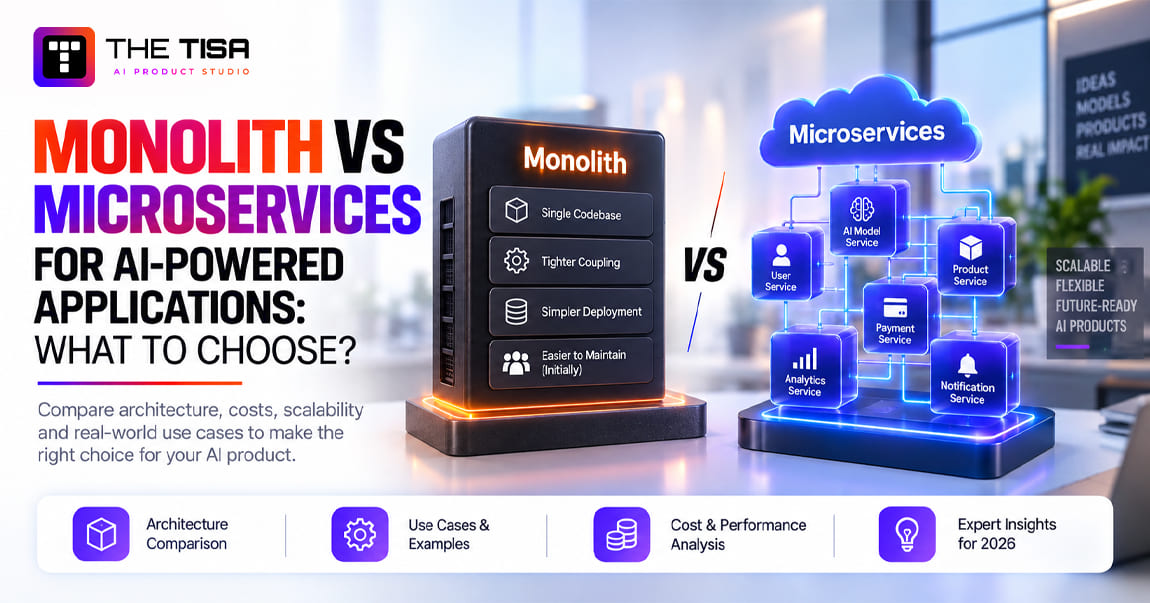
A modular monolith may be suitable where scope, team size, and infrastructure requirements are more limited. We discuss that decision in microservices vs monolith for AI applications.

Chapter 6: What Platform Adoption and Operational Results Did OpsPilot Deliver?

The project-reported figures show that OpsPilot supports thousands of users and records within one connected administration platform.

Measure Reported Figure
Monthly active users 2,850
Student records managed 6,400+
Employee records managed 420+
Delivery Six months, eight-person team

These figures describe platform usage, record scope, and delivery. They should not be interpreted as AI-specific usage or performance metrics. 

Selected Monthly Workflow Volumes

Workflow Reported Monthly Volume
Fee transactions recorded 3,800
Payroll records processed 420
Leads and enquiries managed 280
Total across these three workflows 4,500

Fee transactions account for approximately 84% of the records in this selected group. The chart illustrates selected administrative workflows rather than the full platform workload or AI usage. 

Why These Numbers Matter for AI Integration

Connected records provide the reporting foundation for AI summaries. Leadership can review fee, payroll, enquiry, and other administrative information across branches, with AI providing an initial overview before the full report is reviewed.

The integrations also reduce repeated entry. Website enquiries flow into the CRM, while student and employee activity can be reviewed through connected profiles.

These are broader platform benefits; AI-specific performance is addressed separately below.

What This Case Study Establishes About the AI Layer

The deployed AI function supports report summaries and operational insights within the administration workflow.

This case study does not provide:

  • A measured percentage reduction in review time.
  • A formal summary-accuracy score.
  • A monthly count of AI summaries.
  • A cost-per-summary benchmark.
  • A quantified return on investment attributable to OpenAI.

These figures establish the operational context for the AI feature, but they do not by themselves establish its effectiveness. 

Performance Work Behind the Platform

Our team focused on:

  • Optimized Next.js pages and reusable components.
  • Code splitting and lazy loading.
  • Server-side filtering and pagination for large tables.
  • Reducing unnecessary API calls.
  • Efficient MySQL queries and MongoDB indexing.
  • Caching non-sensitive information where appropriate.
  • Background processing for heavy reports and exports.
  • Independent scaling of high-usage services.

These techniques support performance, but this article does not present a production latency or load-test benchmark.

Security Behind the Platform

The security layer includes password hashing, token-based authentication, protected routes and integration endpoints, input validation, rate limiting, secure sessions, export permission checks, protected environment variables, and audit logs.

AI access remains limited to authorized reporting data.

You can read more about THE TISA’s approach on our security page.

Keeping Private Records Outside Public Search

OpsPilot is an internal platform. Private records must be protected through server-side authentication and authorization.

Public and private routes are separated, with search-indexing controls used as an additional measure where appropriate.

A noindex directive or crawler restriction is not a substitute for access control. Google also needs to crawl a publicly accessible page to recognize its noindex directive, as explained in its indexing guidance.

Chapter 7: What Changed Before and After OpsPilot?

The main operational change was that departments could work with connected records, while leadership could review information through central dashboards and reports.

AI summaries were one part of that wider change.

Area Before OpsPilot With OpsPilot
Administration Separate departmental processes Centralized administration platform
Student records Information scattered across tools and files Connected student profiles and timelines
Employee tracking Manual tracking and KPI preparation Connected attendance, working hours, and KPI information
Branches Separate branch records Branch-specific management with central visibility
Access Limited access controls Role-based permissions and audit logs
Fees Manual fee tracking Connected fee records and reporting
Examinations Separate examination processes Integrated examinations, results, and marksheets
Enquiries Website enquiries copied manually Enquiries flowing into the CRM
Reporting Long reports reviewed directly AI summaries available beside the full report

What Each Group of Users Gained

Senior management can review institute activity from a central dashboard. Reporting covers branches, finances, admissions, staff performance, academic results, enquiries, and placements.

AI summaries provide a shorter overview before leadership opens the detail.

Department staff use navigation organized around their work. HR staff access HR functions, and admissions staff access admissions workflows.

Counsellors receive website leads through the CRM. They can schedule follow-ups and track admissions from the initial enquiry.

The institute has a connected platform for academic, administrative, financial, HR, CRM, and reporting work. Its architecture supports further expansion, subject to the requirements and capacity of new modules.

What the Client Said

“Now, everything is available in one system. Our teams can manage their work more easily, and management can follow institute activities from one place. THE TISA team was supportive throughout the project. They understood how we work, listened to our needs, and built a system that works smoothly for our institute.” — Albert Joe, client

A Note on What We Did Not Measure

We did not run a formal time-and-motion study before launch. Therefore, we do not claim a percentage of hours saved.

The figures in Chapter 6 are project-reported platform metrics. The before-and-after descriptions reflect the operational changes described in the project and the client’s experience.

If you are planning a similar integration, capture baselines before development:

  • Time needed to prepare a report.
  • Time needed to review it.
  • Frequency of repeated data entry.
  • Number of report corrections.
  • Frequency and cost of AI use after deployment.

Those measurements help distinguish the benefits of system integration from the benefits of the AI layer.

Chapter 8: What Does This Case Study Mean for US Businesses Planning AI Integration?

The relevance of OpsPilot to US businesses lies in its architecture and delivery decisions: connect existing systems, define data access, prepare reliable reports, and give AI a limited initial role.

That pattern can apply beyond education, but the data, contracts, and regulatory requirements must be reviewed for each organization.

Market Context Does Not Replace Project Evidence

Gartner’s January 2026 forecast listed worldwide AI-services spending at approximately $439.4 billion for 2025, $588.6 billion for 2026, and $761.0 billion for 2027.

Those are figures from a specific forecast version, rather than evidence of OpsPilot’s return on investment. 

Gartner also predicted that more than 40% of agentic AI projects would be cancelled by the end of 2027, citing escalating costs, unclear business value, and inadequate risk controls.

That prediction concerns agentic AI, while OpsPilot’s described AI feature is read-only summarization. The broader lesson is to define value and controls before expanding AI scope.

Questions US Buyers Should Review Before Adopting a Similar Architecture 

OpsPilot’s controls can support a wider security and compliance program. They do not establish US regulatory compliance or certification.

Requirement or Expectation Where It May Apply Relevant Architecture Controls Additional Review Needed
FERPA Education records at covered US educational institutions Role-based access, disclosure boundaries, and auditability Permitted disclosures, vendor arrangements, institutional control, and applicable obligations
SOC 2 buyer expectations Enterprise procurement and vendor security reviews Access controls, change logging, secure sessions, and secrets management Documented controls, operating evidence, and any actual examination scope
State privacy laws Covered organizations processing relevant personal information Data minimization and controlled access Applicability, notices, rights requests, contracts, retention, and deletion
HIPAA, if relevant Workflows involving protected health information for covered entities or business associates Restricted access and controlled data flows Business associate agreements, risk analysis, eligible services, and other applicable safeguards

FERPA governs rights and disclosure of education records. The US Department of Education’s FERPA resources explain its scope.

For HIPAA-related cloud use, HHS guidance discusses business associate arrangements and risk analysis.

These are planning considerations. An organization’s legal, security, and compliance teams should determine what applies to its actual use case.

Questions US Buyers Should Ask an AI Integration Partner

Use these questions when evaluating THE TISA or another provider.

Where does authorization happen?

Ask how access restrictions are enforced before information reaches the model, including branch and record boundaries.

What information leaves our environment?

Ask which fields are transmitted, which provider receives them, and what storage, retention, and deletion settings apply.

Can you explain a delivered integration?

Look for clear descriptions of connected systems, architecture, responsibilities, and outcomes. Confidentiality may limit public examples, so ask what evidence can be reviewed appropriately.

Who owns the code and project deliverables?

Clarify code ownership, prompt ownership, third-party dependencies, and handover arrangements in the contract.

How is AI output evaluated after launch?

Ask who reviews output quality and how issues, prompt changes, and model changes are handled.

What working-hours overlap will we receive?

THE TISA provides a US contact number, +1 (512) 640-0538, while its engineering team is based in Jaipur, India. Discuss meeting windows, delivery communication, and support coverage before engagement.

Comparing Integration Proposals

A useful proposal should explain the systems being connected, the data available, where the model sits, the initial use case, and how access and output quality will be controlled.

It should also distinguish completed features from proposed capabilities.

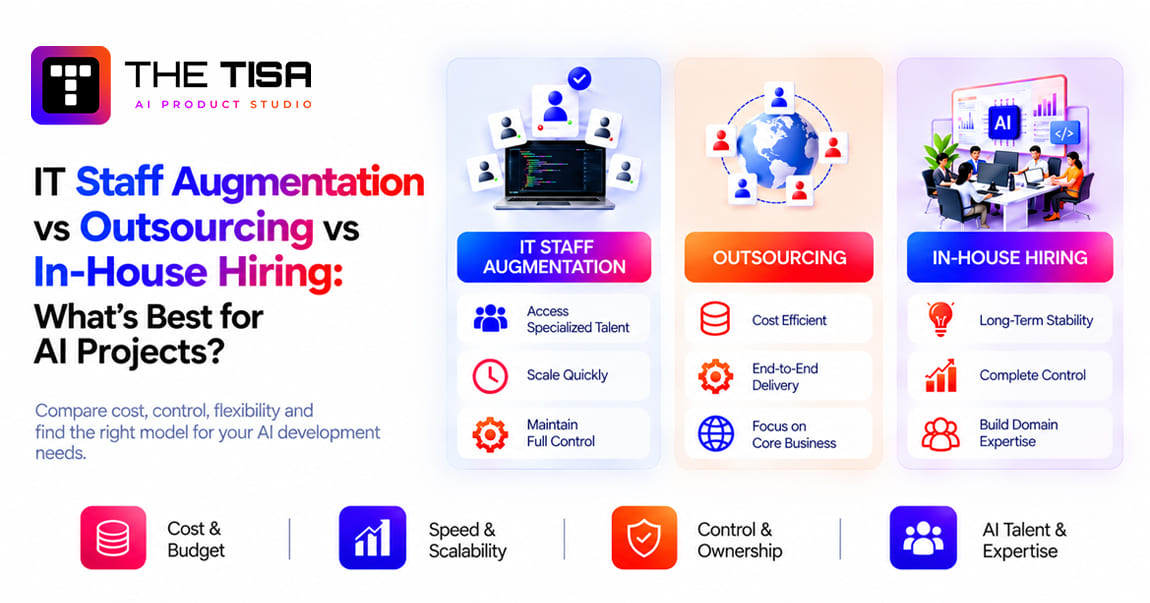
For delivery-model comparisons, see the staff augmentation vs outsourcing vs in-house hiring guide.

Chapter 9: What Did We Learn About AI Integration From OpsPilot?

The main lesson was to plan permissions, data structures, and workflows before adding AI.

Those foundations affect the quality of reports, the reliability of integrations, and the boundaries of information the model can receive.

Ten Lessons We Apply to AI Integration Projects

1. Build around actual workflows.

Discovery should examine how departments work, including manual steps and exceptions.

2. Define roles and branch access early.

Permissions belong in architecture and data-access design. Retrofitting them creates additional work and risk.

3. Keep core records connected.

Student, employee, fee, attendance, and academic information need consistent relationships and identifiers.

4. Design reporting alongside the database.

Filters, pagination, aggregation, and report queries should be considered during data design.

5. Check the inputs behind KPIs.

Attendance, task, and activity information must be reliable before it is used to calculate performance.

6. Plan auditability.

Relevant approvals, changes, exports, and sensitive actions should be traceable.

7. Agree on data contracts.

Connected systems need consistent expectations for identifiers, fields, validation, and updates.

8. Choose service boundaries deliberately.

Business functions can provide useful boundaries, but service separation should fit team capacity and operational requirements.

9. Preserve human review for consequential decisions.

In OpsPilot, AI supports report review. Administrators retain control over actions and approvals.

10. Plan for operation after launch.

Security, performance, monitoring, AI evaluation, and maintenance need owners beyond the initial deployment.

Your AI Integration Readiness Checklist

Use this before discussing scope with a vendor.

  • ☐ We can name the decision, report, or workflow the AI should improve first.
  • ☐ We know which systems contain the required information.
  • ☐ We understand how those systems can be accessed through APIs, exports, or approved database connections.
  • ☐ We have defined who may access the relevant records.
  • ☐ We have a baseline for the current task.
  • ☐ We know which information must remain inside our environment.
  • ☐ Someone will own output quality and review after launch.
  • ☐ We have defined which actions require human approval.

Treat gaps individually. Unclear data permissions or external-provider restrictions may block a project even when the other items are complete.

If important foundations are missing, begin with discovery. The legacy systems integration guide can help when older software is part of the scope.

What Could Come Next for OpsPilot 

The roadmap discussed with the client includes:

  • Predictive AI and risk alerts.
  • Natural-language search across reports.
  • Biometric attendance.
  • WhatsApp, SMS, and payment integrations.
  • University and accounting software integrations.
  • Library, hostel, transport, inventory, and asset modules.
  • Multi-language support and single sign-on.
  • A data warehouse and expanded backup and recovery capabilities.

These are roadmap items, not a list of completed features.

Natural-language report search could extend the AI layer from summarization to answering questions over permitted information.

Depending on the data and implementation, this may use retrieval-augmented generation, structured database queries, or a combination. The existing permission structure provides a starting point, but retrieval and answer generation would still need their own access checks and evaluation.

For the technical approach, see RAG development.

Frequently Asked Questions About AI Integration

Q1. What is an AI integration service?
Ans. An AI integration service connects AI models to the software, data, and workflows a business already uses. The work can include system connections, data preparation, access control, model integration, testing, and monitoring. The aim is useful AI output within the business’s working tools.

Q2. How long did the OpsPilot AI integration project take?
Ans. The timeline depends on the number of systems, available interfaces, data quality, security requirements, and use cases. OpsPilot took six months with an eight-person team because the scope combined a new administration platform, multiple integrations, business modules, and an AI layer. A smaller integration into an existing, well-structured system may take less time. Its estimate should be based on the actual scope.

Q3. Can AI be integrated into existing systems without replacing them?
Ans. Yes. OpsPilot retained the Student LMS, Employee Portal, and website and connected them through REST APIs. Whether existing systems can remain depends on their interfaces, data quality, security, and operational limitations.

Q4. How do you control sensitive data when integrating OpenAI?
Ans. Access controls should determine what information a user may request before an AI call is prepared. In OpsPilot, role and branch permissions govern reporting access, and AI summaries remain separate from source records. A complete implementation must also review data minimization, provider settings, storage, retention, and logging.

Q5. Does AI replace human decisions in this system?
Ans. No. OpsPilot’s described AI features summarize reports and highlight information for review. Administrators retain control over approvals, record changes, and operational decisions.

Q6. Which technologies did THE TISA use for OpsPilot?
Ans. The platform uses Next.js and Bootstrap on the frontend, Node.js and Express.js on the backend, REST APIs for integration, MySQL and MongoDB for data, and OpenAI for AI reporting features. Its architecture separates services by business function.

Q7. Is the OpsPilot architecture relevant to US companies?
Ans. Yes, its integration and access-control principles can be relevant to US businesses. However, reusing the pattern does not establish FERPA, HIPAA, privacy-law compliance, or SOC 2 assurance. Those requirements depend on the organization, data, contracts, services, and operating controls.

Q8. What results were measured in the OpsPilot project?
Ans. The project-reported figures include 2,850 monthly active users, more than 6,400 student records, and more than 420 employee records. This article also reports selected monthly workflow volumes. It does not provide a quantified AI accuracy score, AI-specific time saving, or AI return on investment.

Q9. How much does AI integration cost?
Ans.
Cost depends on system interfaces, data preparation, security requirements, use cases, testing, and ongoing operation. Discovery helps establish the scope needed for an estimate. Our AI agent development cost guide and generative AI development cost guide discuss related cost drivers.

Planning Your Own AI Integration?

If your information lives across several tools and management spends substantial effort assembling and reviewing reports, start by mapping the systems and workflows behind that work.

THE TISA designs and develops AI systems that connect with existing software. Discovery focuses on your systems, data, permissions, and the first workflow AI should support.

That work helps define the integration approach, implementation scope, and estimate before development begins.

Talk to THE TISA about your AI integration project →

US contact: +1 (512) 640-0538
Email: info@thetisa.com

Deepak Kumawat

"Deepak Kumawat is the Co-Founder at THE TISA, with 7+ years of experience in building scalable web applications and digital solutions. He specializes in Full Stack Development, modern web technologies, backend systems, and delivering reliable technology solutions."

Scroll to Top
The TISA
Hi there! 👋
How can we help you today?
now