


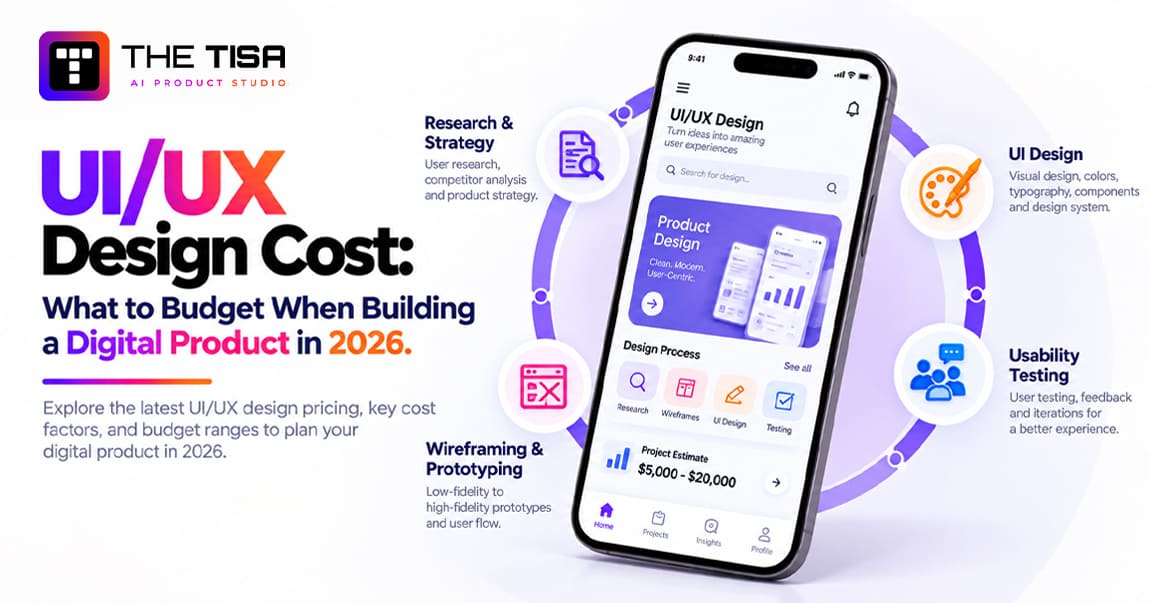
UI/UX design shapes how people interact with a digital product. UX (user experience) focuses on how users navigate the app, find features, and complete tasks. UI (user interface) covers the elements they see and interact with, such as layouts, typography, buttons, and visual feedback. Together, they influence whether users sign up, find value quickly, and return.
Despite its importance, teams often underestimate design costs during budgeting. A freelancer might quote $4,000 for an app, while an agency charges $80,000 for what appears to be the same project. Both estimates can be reasonable because they may cover different scopes, research efforts, and levels of design complexity.
Labor accounts for a large share of the UI/UX Design Cost. The U.S. Bureau of Labor Statistics reports a median annual wage of $104,000 for web and digital interface designers as of May 2025. This figure helps explain the hourly rates designers charge in US project proposals.
This guide breaks down UI/UX Design Cost across different product types, examines the factors that affect pricing, and compares freelancers, in-house teams, and specialist UI/UX design services to help you plan your budget.

Why Design Spend Shows Up in Revenue, Not Just Aesthetics
Good UX can improve business results by reducing customer drop-offs, support requests, and engineering rework. E-commerce offers a clear example. Baymard Institute’s checkout research reports an average documented cart abandonment rate of 70.22%. It also estimates that large e-commerce sites could increase conversions by 35.26% through better checkout design alone.
The same benefits apply beyond online shopping:
- SaaS products: Clear onboarding helps more users complete their trials and move to paid plans.
- Internal enterprise tools: Easy-to-use interfaces save employees time and reduce training requests.
Timing also affects development costs. Fixing a confusing flow during the wireframe stage may take only a few minutes, while making the same change after developers have built the feature can take an entire sprint. Addressing design issues before development begins helps businesses avoid costly rework.
How Much Does UI/UX Design Cost in 2026?
UI/UX design costs for US businesses range from $5,000 to $150,000+ in 2026, depending on the product’s complexity, number of screens, and design requirements. A focused MVP usually falls at the lower end, while enterprise platforms with multiple user roles and a complete design system can exceed $150,000.
Cost Ranges by Product Tier
| Tier | Typical Range | Approx. Screens | Design Timeline | Best Fit |
|---|---|---|---|---|
| MVP / Simple Product | $5,000 – $15,000 | 10-20 | 3-6 weeks | Validating an idea with core flows |
| Mid-Level Product | $15,000 – $50,000 | 25-60 | 6-12 weeks | Funded startups, SaaS v1 |
| Complex Product | $50,000 – $150,000 | 60-150 | 3-6 months | Multi-platform products, custom motion, multiple user roles |
| Enterprise Product | $150,000+ | 150+ across modules | 6+ months, ongoing | Regulated industries and multi-product organizations |
These estimates cover design work only. Engineering and development costs are separate and usually make up a much larger part of the overall budget. For a closer look at the build expenses, see this custom software development cost guide for 2026.
How Much Does UI/UX Design Cost by Product Type?
| Product Type | Typical Design Range | What Affects the Cost |
|---|---|---|
| Mobile App | $10,000 – $50,000 | Separate iOS and Android patterns, gestures, and offline states |
| Web Application | $15,000 – $75,000 | Dashboards, tables, filters, and responsive layouts |
| E-commerce Platform | $20,000 – $100,000 | Product catalogs, search, cart, checkout, and account flows |
| SaaS Product | $25,000 – $150,000 | Multiple user roles, onboarding, billing, and admin panels |
| Enterprise Platform | $100,000+ | Multiple modules, permissions, audit trails, and integrations |
The cost also varies by product requirements. A consumer app designed by a mobile app development team may need fewer screens than a SaaS platform, but each screen may require more detailed visual work. SaaS products often need additional design for different pricing tiers, user permissions, and admin features. The AI SaaS development cost guide explains how these requirements can also affect the overall development budget.
What Drives UI/UX Design Cost Up or Down?
Ten factors account for most of the difference between two UI/UX design quotes. Each factor affects the amount of design work, time, and resources a project requires.
| Factor | Keeps Cost Lower | Pushes Cost Higher |
|---|---|---|
| Product type | Single web app | Web + iOS + Android |
| Number of features | One core workflow | Dozens of modules |
| Target audience | One user type | B2C + B2B + admin roles |
| Platforms and devices | Desktop-first only | Fully responsive layouts plus native apps |
| Design complexity | Clean UI kit styling | Custom illustrations, animations, and brand work |
| Team location | Nearshore or offshore partner | US-based senior agency |
| Tools and technology | Standard Figma workflow | Enterprise seats, SSO, and design operations tools |
| Revisions | Two structured review rounds | Open-ended feedback cycles |
| Additional services | Design only | Research, testing, and accessibility audits |
| Project timeline | Normal delivery schedule | Rush delivery with multiple designers working in parallel |
Three of these factors often surprise buyers because they can increase costs beyond the initial design estimate.
Platforms and Devices
iOS and Android follow different design conventions, documented in Apple’s Human Interface Guidelines and Google’s Material Design. Designing for both platforms requires more than adjusting screen sizes. A responsive design also needs separate layouts for different breakpoints, rather than simply shrinking desktop screens to fit smaller devices. Each version needs to maintain usability, consistency, and the expected platform experience.
Design Tools and Licensing
Design software costs less than the team’s time, but licensing still adds to the project budget. At the time of writing, Figma’s pricing ranges from $16 per full seat per month on the Professional plan (billed annually) to $90 on Enterprise. Teams may need higher-tier plans when their security requirements include single sign-on (SSO), centralized admin controls, and other enterprise-level features. These costs may seem small compared with design fees, but they can add up across larger teams.
Rush Timelines
Compressing a 12-week project into six weeks rarely cuts the workload in half. Instead, it often requires additional designers to work in parallel. They must coordinate their tasks, follow consistent design patterns, and review each other’s work to avoid differences across screens. This coordination adds time and management effort. As a result, a shorter delivery schedule can increase the final project cost rather than reduce it.
Where the Money Goes: The Eight-Stage Design Process
Each stage produces a clear output that the design and engineering teams can use. Here’s how a typical budget is distributed across the eight stages:
| Stage | What Happens | Key Output | Typical Budget Share |
|---|---|---|---|
| 1. Research & Discovery | User interviews, competitor review, goal alignment | Research summary, personas | 15–20% (stages 1–2) |
| 2. Strategy & User Flows | Journey mapping, information architecture, feature priority | User flows, roadmap | Included above |
| 3. Wireframing | Low-fidelity screen structure | Wireframes | 15–20% |
| 4. UI Design | Visual style, branding, responsive layouts | High-fidelity screens, component library | 35–40% (stages 4–5) |
| 5. Prototyping | Clickable flows, micro-interactions | Interactive prototype | Included above |
| 6. Testing & Validation | Usability sessions, optional A/B tests | Findings report, refined design | 20–25% (stages 6–8) |
| 7. Design Handoff | Specs, assets, documentation | Dev-ready files, style guide | Included above |
| 8. Launch & Iterate | Behavior tracking, metric review | Enhancement backlog | Included above |
Why Small Testing Rounds Save Money
Testing doesn’t require a large sample. Research from the Nielsen Norman Group shows that testing with about five users can uncover most usability problems in a single flow. Running three small rounds between design iterations helps teams catch issues early, rather than waiting until the end for one large study.


What Deliverables Should a UI/UX Design Project Include?
A complete UI/UX design project should provide your engineering team with the assets they need to build the product without guesswork:
- Research and analysis report, so product decisions are based on user and market findings
- Personas and journey maps, to show who the product serves and how users interact with it
- Wireframes and user flows, to define screen structure and navigation before visual design
- High-fidelity UI designs for every state: empty, loading, error, and success
- Interactive prototype, for testing user flows and getting stakeholder approval
- Design system and UI components, to maintain interface consistency and reduce future design and front-end work
- Responsive specs for each target device
- Developer handoff files, with spacing, tokens, assets, and annotations
- Usability testing report, with issues ranked by severity
- Post-launch support (optional), to address design issues based on real usage data
If a proposal excludes the design system or handoff files, developers will have to fill in those gaps themselves. This can lead to inconsistent interfaces and slower development cycles.
Digital Product Design Cost for Startups vs Enterprises
Startups and enterprises spend on design for different reasons. Each needs a different approach to budgeting.
How Startups Should Plan Design Spend
Startups should focus their budget on their riskiest assumptions. This usually means testing the core workflow and onboarding process with real target users. A practical approach to UI/UX design cost for startups includes:
- Use a proven UI kit instead of commissioning custom illustrations.
- Budget for at least two rounds of testing.
- Delay the full design system until product-market fit becomes clearer.
What Enterprises Need to Budget For
Enterprises have additional costs that startups can often defer. Role-based permissions, approval chains, audit logs, and SSO each add screens and interface states.
Accessibility also needs a place in the budget for US businesses. The Department of Justice’s web accessibility guidance under the ADA points businesses to the Web Content Accessibility Guidelines (WCAG) as a practical benchmark. Designing for color contrast, keyboard navigation, and screen readers from the start generally costs less than fixing accessibility issues after launch or following a legal complaint.
Enterprises also need to budget for governance, including documentation, contribution rules, and design reviews that help multiple teams maintain consistency.
How AI Features Change the Design Scope
AI features can increase UI/UX design cost because their outputs change based on user prompts and model responses.
LLMs and RAG Explained
A large language model (LLM) powers tools such as chat assistants. It generates responses based on user prompts rather than returning fixed answers. Retrieval-augmented generation (RAG) connects an LLM to your own documents, allowing it to use company data when generating answers. This business guide to RAG explains the approach in more detail.
New Interface States AI Products Need
AI features introduce interface states that standard forms and workflows don’t require:
- Streaming responses and “thinking” indicators
- Source citations that let users verify answers
- Edit, retry, and undo controls
- Clear fallback messages when the model gives an incorrect or uncertain answer
- Feedback controls to help improve model responses
- Disclosure of the data the feature uses
Google’s People + AI Guidebook offers useful guidance for designing these interactions. Each AI feature can add one or two sprints of design and testing, depending on its complexity.
Designers also need realistic model outputs to account for edge cases. Placeholder text rarely shows how the interface will handle unexpected responses, delays, or errors. Involving an AI product development company while the design is still in the wireframe stage helps designers understand what the model can actually return, including response times and failure cases.
When You Don’t Need AI
Not every product needs AI. If a rules-based filter or a well-designed search can solve the problem, there’s no need to add a model. This avoids extra design work as well as ongoing AI costs.
Comparing UI/UX Design Hiring Options
The right hiring model depends on your project scope, budget, and how often you need design work. Each option has a different cost structure and level of support.
| Option | Cost Model | Strength | Watch Out For |
|---|---|---|---|
| Freelancer | Hourly or per project | Lower cost for a narrow scope | Limited capacity and dependence on one person |
| In-house designer | Salary + benefits + tools | Strong understanding of the product | One designer may struggle to handle research, UI design, and testing alone |
| Design agency | Fixed bid or retainer | Access to a range of design skills | Handoff gaps when a separate team handles engineering |
| Design + engineering studio | Phased or milestone-based | Design decisions tested against real code | Requires clear scope and ownership terms |
When Does Hiring an In-House Designer Make Sense?
An in-house designer makes sense when your company has ongoing design work. However, the BLS median salary covers only the designer’s pay. Benefits, equipment, and design tools increase the actual hiring cost. For a broader comparison of hiring models, see this guide to staff augmentation, outsourcing, and in-house hiring.
Ways to Keep UI/UX Design Cost Under Control
- Define the MVP scope in writing. List the flows included in the first release and those you plan to defer.
- Design core user journeys first. Settings pages and less common admin screens can come later.
- Adopt a design system as the product grows. Reusable components reduce the cost of designing new screens.
- Reuse components across web and mobile. Shared color, typography, and spacing rules keep both platforms consistent.
- Schedule usability testing before high-fidelity design. Problems found in wireframes cost less to fix.
- Set revision limits in the contract. Assign one person to consolidate stakeholder feedback for each round.
- Evaluate partners by long-term cost. The cheapest quote may result in designs that developers struggle to implement.
Common Mistakes That Inflate the Bill
- Treating design as decoration instead of product decision-making
- Approving screens without error and empty states
- Skipping developer handoff documentation
- Allowing multiple stakeholders to send separate feedback to the designer
Questions to Ask Before You Sign a Design Proposal
A strong proposal should answer each of these clearly:
- How many user research sessions and testing rounds are included?
- Are mobile, tablet, and desktop all in scope, or only one?
- Does the price include a design system, or only finished screens?
- Who joins handoff meetings with your developers?
- How are change requests priced once the project starts?
- Do you receive full ownership of all source files at the end?
Vague answers to any of these are the most common reason a UI/UX design cost estimate grows mid-project.
Design and Code Under One Roof: How THE TISA Approaches Product Design
When comparing design partners, ask one key question: who will build the product after it is designed? Separate design and development teams can create handoff gaps, such as missing screen states or layouts that are difficult to implement. Involving both teams from the start helps prevent these issues. This is how THE TISA, an AI product development company, structures its product work.
What the First Few Weeks Look Like
- Weeks one and two focus on discovery. Product designers and engineers map user flows together and identify what the available data and APIs can support.
- Wireframing follows. Engineers review each wireframe against the planned architecture to flag implementation issues early.
- AI features are prototyped with real model calls, allowing the team to account for response delays, uncertain answers, and fallback behavior.
- Handoff takes place during sprint planning, with designers available as front-end development begins.
After Handoff and Launch
As development progresses, designers work with engineers to resolve implementation issues and keep the product aligned with approved designs. This workflow, from initial planning to delivery, is outlined in the software delivery process. After launch, usage data helps identify areas for improvement. Examples across SaaS, logistics, real estate, and AI products are available in the software development case studies. Any issues identified after launch can be addressed through ongoing maintenance and support.
Conclusion
Your design budget affects how easily users understand and use your product. Spending too little can lead to rework, support requests, and lost conversions. Spending on the wrong features can leave you with polished screens users may never need.
Plan UI/UX design costs around project risks. Invest in research and testing for core user journeys, treat accessibility and design systems as long-term assets, and choose a partner whose designers work closely with engineers.
Before approving a proposal, confirm the scope, platforms, testing rounds, deliverables, and file ownership in writing. These details give you a clearer picture of the final cost than the headline price alone.
Frequently Asked Questions
Q1. Should UI/UX design be priced as a fixed fee or hourly?
Ans. A fixed fee works best when you have clearly defined screens and user flows, such as an MVP with a fixed scope. Hourly or sprint-based pricing suits products where research and feedback may change the direction. Many companies combine both models: they use a fixed price for discovery, followed by time-based design sprints.
Q2. Who owns the design files after the project ends?
Ans. The contract determines ownership, not simply who pays for the work. Make sure the agreement states that the client receives all source files, components, icons, and prototypes after final payment. It should also confirm that the team has secured commercial licenses for third-party fonts and stock assets.
Q3. Does redesigning an existing product cost less than designing one from scratch?
Ans. Often, yes. Existing analytics, support tickets, and user feedback help teams complete research faster and focus on actual user problems. However, costs can increase if legacy code limits design changes, the team needs to migrate data, or the business must run old and new interfaces side by side during the transition.
Q4. How much should a business budget for design after launch?
Ans. Most products need ongoing design work for new features, usability improvements, and conversion fixes. A business can hire a part-time designer or use a monthly retainer, depending on its release schedule. Products updated every two weeks generally need more consistent design input than those updated quarterly.
Q5. How can a business identify a low design quote that cuts corners?
Ans. Check which services the quote excludes. Some low-cost proposals leave out user research, usability testing, secondary screen states, responsive layouts, or developer documentation. Ask the design team for a sample handoff file from a previous project. Clear component structures and annotations show whether developers can use the designs without guessing.
Plan Your UI/UX Design Budget with Confidence
Build a digital product with the right design strategy and budget. Talk to THE TISA about UI/UX design costs, user research, wireframing, prototyping, and interface design to create a user-friendly digital experience without unnecessary expenses.
Discuss Your UI/UX Design Project →