

Ask five vendors what AI integration costs and you will get five numbers, because they are pricing different things. One quotes a chatbot. Another quotes an agent that writes to your ERP. A third forgets that tokens are billed every month after launch.
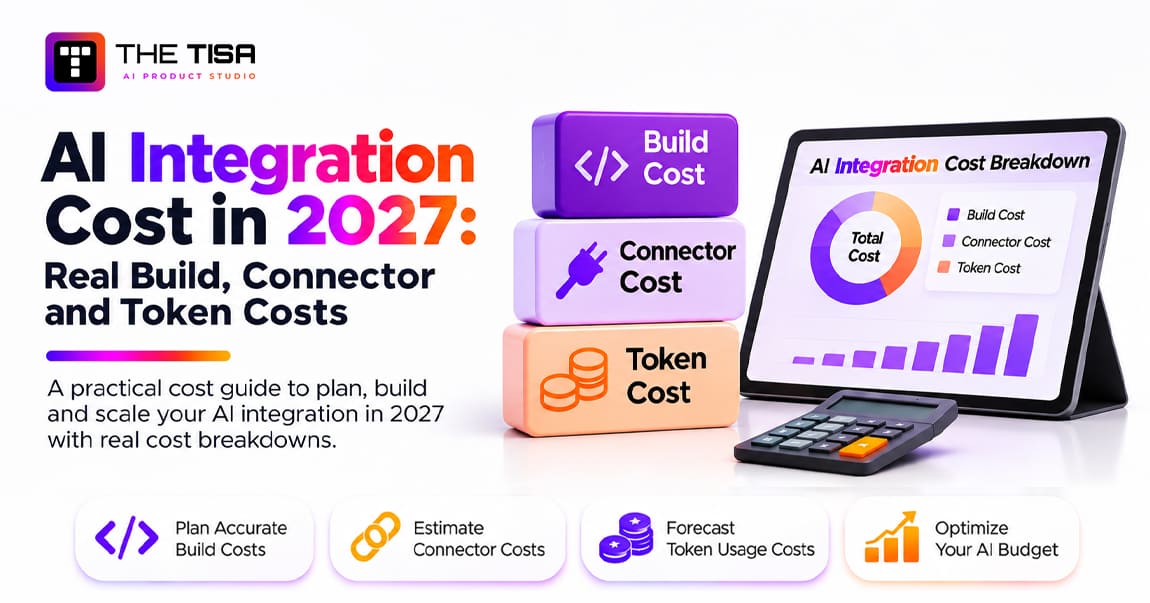
This guide breaks the cost into the three parts that actually show up on invoices: the build, the connectors that link AI to your systems, and the tokens and infrastructure you pay for every month. It uses model prices checked against the providers’ own pages, a token formula you can run on your own workload, and worked monthly examples. If you want a scoped number for your own stack, our AI integration services team starts every project with exactly this breakdown.
How Much Does AI Integration Cost in 2027?
For US companies in 2027, AI integration projects typically fall into these bands for the build phase, before monthly run costs:
| What You Are Building | Typical Build Range |
|---|---|
| Simple AI feature or chatbot (one API connection, basic retrieval or summarization) | $5,000 – $30,000 |
| Internal AI assistant or document automation (data pipelines, custom UI, role-based access) | $40,000 – $120,000 |
| Task or workflow agent (tool calling, multi-step orchestration, error handling) | $50,000 – $150,000 |
| Multi-agent or enterprise AI platform (governance, compliance, several systems) | $150,000 – $500,000+ |
As a THE TISA planning estimate, connectors usually add 20% to 50% to the build budget. Monthly usage and infrastructure costs (tokens, hosting, vector search and monitoring) range from under $100 for a low-volume assistant to $15,000 or more for agent workloads at scale. That range excludes annual maintenance and human review, which are covered separately below.

These are planning ranges, not quotes. An actual quotation depends on discovery, system access, the number of integrations, security requirements and acceptance criteria. Throughout this guide, each figure is one of four kinds:
• Provider-published price: taken from the vendor’s own pricing page on the date shown.
• THE TISA planning estimate: ranges from our delivery work and published market ranges, used for early budgeting.
• Illustrative calculation: a worked example with stated assumptions, not a benchmark.
• Third-party source: a figure from a named external report, linked where used.
How Much Does AI Integration Cost by System?
The system you connect to matters as much as the AI feature itself. A summarizer that reads one CRM object is a different project from an agent that posts journal entries in an ERP. These bands assume a US buyer, a production-ready build with access controls and logging, and one to three use cases.
| System | Typical First Use Cases | Build Range | What Drives the Cost |
|---|---|---|---|
| CRM (Salesforce, HubSpot, Dynamics 365) | Call summaries, email drafts, lead scoring, record updates | $15,000 – $80,000 | Write-back rules, field permissions, data quality, whether native AI covers part of it |
| Helpdesk (Zendesk, ServiceNow, Freshdesk, Intercom) | Ticket triage, suggested replies, knowledge answers, deflection | $20,000 – $90,000 | Knowledge base quality, escalation logic, channel coverage (email, chat, voice) |
| ERP (NetSuite, SAP, Dynamics 365 Finance, Oracle) | Invoice matching, order status, purchase-order checks, reporting queries | $40,000 – $180,000 | Strict data models, approval chains, audit requirements, older APIs |
| Internal apps and databases | Assistants over internal data, document processing, workflow automation | $25,000 – $120,000 | Missing APIs, data cleanup, single sign-on and role mapping |
| Several systems at once | An agent that reads CRM, checks ERP and opens tickets | $80,000 – $300,000+ | Identity matching across systems, orchestration, failure handling, governance |
Three patterns explain most of the spread.
Read-Only Is Cheaper Than Write-Back
An AI feature that only reads data and shows a suggestion needs far less validation than one that changes records. Writing to an ERP or a CRM adds field allowlists, validation rules, approval steps, idempotency keys so retries do not create duplicates, rollback, and audit logs, and each needs its own build and test effort.
Native AI Can Cut the Custom Scope
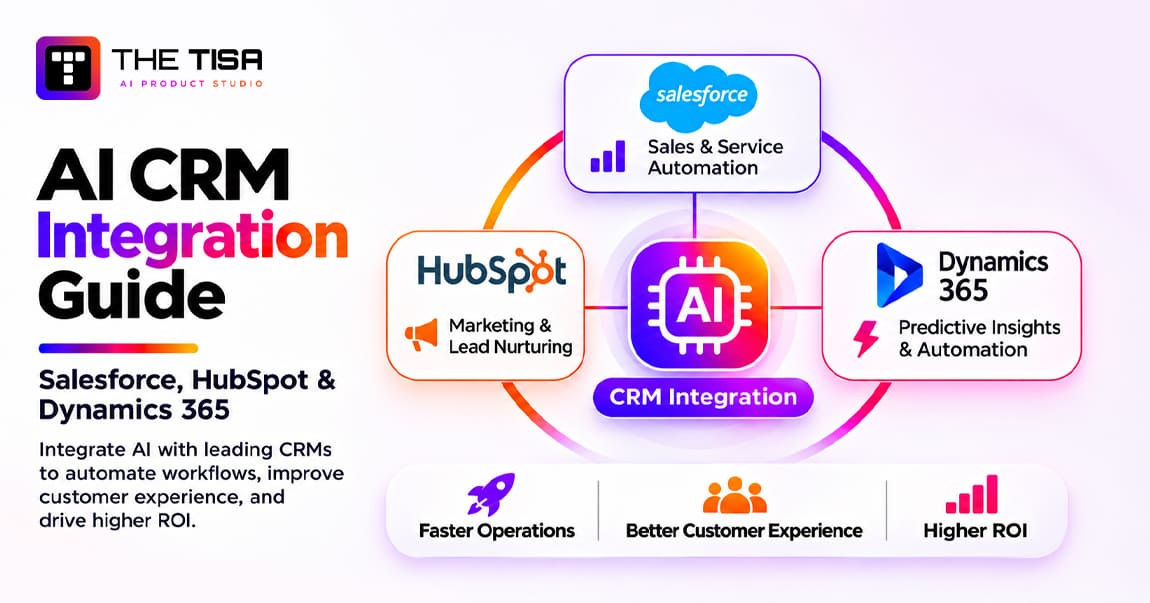
Salesforce, HubSpot, Microsoft and most helpdesk platforms now ship built-in AI. When native features cover the standard work, the custom build shrinks to the differentiating workflow. Our AI CRM integration guide covers that decision for the three major CRMs.
Data Readiness Is a Hidden Line Item
Duplicate customers, inconsistent product codes and stale knowledge articles all have to be fixed or worked around. As a planning allowance rather than a rule, we budget 10% to 25% of the build for data preparation on a typical mid-market system; very clean or very messy data falls outside that range.
If your systems are old or lack APIs, the costs of modernizing them belong in a separate budget. See our legacy modernization cost guide for details.
What Is Included in an AI Integration Quote?
One vendor quotes $20,000 and another $60,000 for what sounds like the same project. Usually they are not quoting the same work. This scope comparison, not a universal pricing standard, shows what typically separates the levels:
| Deliverable | Basic Implementation | Production Implementation | Enterprise Implementation |
|---|---|---|---|
| AI model connection | Included | Included | Included, often with model routing |
| API integration | One system, few operations | Several operations | Several systems |
| Authentication | API keys | OAuth and secrets management | Central identity and single sign-on |
| Data validation | Basic | Structured validation | Validation plus governance rules |
| Error handling | Basic | Retries and recovery | Full failure management and rollback |
| Monitoring | Basic logs | Operational monitoring and alerts | Central observability and cost tracking |
| Permissions | Limited | Role-based | Fine-grained, per action |
| Testing | Functional | Integration and regression | Plus security and performance testing |
| Documentation | Basic | Technical | Technical and operational runbooks |
Why Two Quotes Can Differ by 2x or More
Consider two illustrative proposals for “AI in our CRM”:
• Proposal A, $25,000: one CRM connection, read-only AI summaries, basic API integration, functional testing, basic logs, no write-back.
• Proposal B, $50,000: CRM and ERP integration, custom middleware, role-based permissions, validated write-back, retry and recovery handling, audit logs, integration testing and deployment documentation.
Proposal B is not automatically better; it is a different scope. Compare deliverables, exclusions and acceptance criteria, not headline prices.
What Do AI Connectors and Middleware Cost?
Connectors are the code that moves data between the AI layer and your systems. As a THE TISA planning estimate, they account for 20% to 50% of the total build. An example enterprise footprint might touch four to twelve systems, such as a CRM, an ERP, a ticketing tool and one or two databases, though many projects touch fewer.
The bands below are alternative scope levels for a single connection, not line items to add together. A connector that needs legacy translation and two-way sync falls in the higher band; it is not priced as both. Four systems also do not always mean four separately priced connectors, because shared middleware and reusable components can serve several of them.
| Scope Band | What Is Included | THE TISA Planning Estimate per Connection |
|---|---|---|
| Basic webhook | One-way event trigger, basic authentication and error handling | $3,000 – $8,000 |
| Standard API connector | Authenticated read and write on a few objects, field mapping, retries, logging | $5,000 – $25,000 |
| Custom legacy adapter | Protocol translation (SOAP, file drops, database views), data transformation, legacy compatibility | $12,000 – $25,000 |
| Enterprise connector | Two-way sync, high concurrency, role-based access, idempotent retries, monitoring and audit logs | $18,000 – $45,000 |
What separates a $5,000 connector from a $40,000 one is rarely the API call itself. It is the engineering around it: respecting vendor rate limits, retrying without creating duplicates, mapping customer IDs across systems, enforcing who can see which records, and logging every write. The patterns are well documented in Enterprise Integration Patterns, and skipping them is the most common source of rework.
Does MCP Reduce Connector Cost?
Sometimes. The Model Context Protocol gives AI models a standard way to call tools and data sources. Several CRM vendors now host official MCP servers: Salesforce announced general availability of its hosted MCP servers in April 2026, HubSpot documents a remote MCP server with read and write access to core CRM objects, and Microsoft lists an MCP server for Dynamics 365 Sales in its release plan. Other systems rely on third-party or custom MCP servers, which you build or vet yourself.
Where a vendor-hosted server already exposes the operations you need, the connector work can shrink to configuration, permissions and testing. That is a possible reduced-scope scenario, not a general price.
MCP standardizes how tools are called. It does not solve authorization, business rules, data mapping, monitoring or reliability, which remain integration engineering. Vendor servers also cover mainly standard objects; HubSpot’s documentation, for example, lists the objects it supports and excludes sensitive data properties. And vendors are starting to meter agent traffic: Salesforce documented in September 2026 (Help article 005360285, “Understand AIforce Impact,” as reported by Salesforce Ben) that successful calls from registered external agents will consume Flex Credits, with the rate unpublished as of November 12, 2026. Treat MCP as a way to reduce some custom code, not as a free connector.
iPaaS or Custom Middleware?
Workflow platforms such as Zapier, Make, n8n, Workato or MuleSoft are quick to set up and work well for simple triggers and prototypes. The trade-offs appear as usage grows:
• Licensing is often priced per task or run, so costs rise with volume.
• Validation and retry control are less fine-grained than in code.
• Audit logging and data residency depend on the vendor.
A practical rule: use iPaaS for prototypes and simple notifications, and a custom integration layer once the AI writes to systems of record, runs at high volume or must meet strict audit requirements. Systems with no usable API at all are covered in our guide to legacy system modernization costs.
How Much Do AI Tokens Cost in 2027?
Model providers bill per million tokens, with separate rates for input (what you send) and output (what the model writes). Output costs five to six times more than input on most current models, so long answers and hidden reasoning are where bills grow.
Provider-published standard-tier list prices per 1 million tokens, verified November 12, 2026. These are today’s prices, not guaranteed 2027 prices:
| Model | Input | Output | Cached Input | Notes |
|---|---|---|---|---|
| OpenAI GPT-6 Astra | $10.00 | $50.00 | $1.00 | Prompts over 272K tokens bill at $20 / $75 |
| Anthropic Claude Opus 5.5 | $4.00 | $20.00 | $0.20 | US-only inference at 1.1x |
| OpenAI GPT-6.1 Sol | $2.00 | $10.00 | $0.10 | Over 272K tokens: $4 / $15 |
| Google Gemini 3.1 Pro Preview | $2.00 | $12.00 | $0.20 | Over 200K tokens: $4 / $18 |
| Google Gemini 3.1 Flash-Lite | $0.25 | $1.50 | $0.025 | Flat rate regardless of prompt length |
| Anthropic Claude Haiku 5.5 | $0.10 | $0.50 | $0.01 | Prompts over 100K tokens: $0.50 / $2.50 |
| OpenAI GPT-6 Luna | $0.10 | $0.50 | $0.01 | Over 272K tokens: $0.20 / $0.75 |
Sources: Anthropic pricing, OpenAI API pricing, and Google’s Gemini API pricing. How to read the table:
• Preview models such as Gemini 3.1 Pro Preview can change price or availability.
• Context thresholds apply to the whole request: a prompt above the limit is billed at the higher rate.
• Cached input applies only to a repeated prompt prefix that hits the provider’s cache; writing to the cache can cost more than standard input.
• Batch pricing: eligible batch workloads can receive substantial discounts compared with standard synchronous pricing. The discount, supported models and processing windows vary by provider, so verify batch pricing before estimating production costs.
• Regional processing, priority tiers and negotiated enterprise agreements can change the effective rate.
The Token Cost Formula
The cost of one model call is:
Cost per call = (uncached input tokens × input rate + cached input tokens × cache rate + output tokens × output rate) ÷ 1,000,000
For a feature or agent, multiply by how often it runs and add the overhead that real systems carry:
Monthly token cost = cost per call × calls per task × tasks per month × (1 + retry rate)
Two terms catch most teams out, and they measure different things.
Calls per task counts model requests. It is 1 for a simple chatbot, while an agent that plans, retrieves, calls tools, checks its work and summarizes might make 5 to 20 calls for one user request (THE TISA planning estimate).
Tokens per task counts what those calls consume, and it does not scale one-to-one with calls. Ten small, focused calls can use fewer tokens than three calls that each re-send a long conversation and every tool result. Actual consumption depends on context reuse, tool output size, hidden reasoning, retries and orchestration design. nOps’ token economics guide puts reasoning and agentic workloads at 5 to 30 times more tokens per task than a standard chat (third-party source).
Retry rate covers failed validations, timeouts and re-runs, which are billed like any other call.
Context growth is why falling per-token prices have not meant falling bills: cheaper tokens tend to be consumed in much larger volumes. The FinOps Foundation’s State of FinOps 2026 found that 73% of organizations had exceeded their original AI cost projections, as cited by EPAM (third-party source).
Before you write code, measure real token counts for your system prompt, retrieved documents and tool definitions with the provider’s tools, such as the OpenAI Tokenizer, Anthropic’s token counting API or Google AI Studio. Word-count estimates can be well off, because each provider tokenizes differently and code or non-English text uses more tokens per word.
What Does an AI Integration Cost to Run Each Month?
Three illustrative calculations show how the formula plays out. Token counts, volumes and retry rates are assumptions; the model prices are the provider-published list prices above. Monthly totals include retries.
Example 1: CRM Email Drafting
A sales team generates 20,000 follow-up email drafts a month inside its CRM. Each draft is one call with about 3,000 input tokens (instructions, account notes, recent activity) and 400 output tokens, with a 5% retry rate.
| Model | Cost per Draft (Before Retries) | Monthly Token Cost |
|---|---|---|
| Claude Haiku 5.5 | $0.0005 | about $11 |
| GPT-6.1 Sol | $0.0100 | about $210 |
| Claude Opus 5.5 | $0.0200 | about $420 |
At this volume, tokens are a rounding error next to the build. The model choice should be driven by draft quality, tested on real examples, not by price.
Example 2: Helpdesk Triage Agent
A support team runs an agent on 30,000 tickets a month. Each ticket takes about 6 calls (classify, retrieve, check order status, draft, validate, summarize). Each call carries 8,000 input tokens, 70% of them a cached prefix of instructions and policies, plus 600 output tokens. The retry rate is 10%.
| Setup | Cost per Ticket, Including 10% Retries | Monthly Token Cost |
|---|---|---|
| GPT-6.1 Sol with caching | about $0.075 | about $2,250 |
| GPT-6.1 Sol without caching | about $0.145 | about $4,360 |
| Claude Opus 5.5 with caching | about $0.150 | about $4,500 |
Caching alone roughly halves the bill here, which is why stable instructions should sit at the start of every prompt. Routing simple tickets to a smaller model would cut it further. For more on this, see our guide to cutting inference spend.
Example 3: ERP Invoice Matching in Batch
An accounts payable team matches 50,000 invoices a month overnight. One call per invoice, 4,000 input tokens and 300 output tokens, run through OpenAI’s batch API at half the standard rate, with no retries assumed.
• GPT-6 Luna in batch: about $13.75 a month.
• GPT-6.1 Sol in batch: about $275 a month.
When the work can wait a few hours and the task is well defined, token costs can become almost negligible.
Tokens Are Only Part of the Monthly Bill
A production integration also pays for the systems around the model. Keep three kinds of cost separate, because they are budgeted differently. All ranges are THE TISA planning estimates for a mid-sized deployment.
1. Monthly Usage and Infrastructure
| Item | Typical Monthly Range |
|---|---|
| Model tokens | $10 – $15,000+ |
| Application hosting, queues and state storage | $200 – $2,000 |
| Vector search, if retrieval uses a separate service | $50 – $1,500 |
| Observability and evaluation runs | $100 – $1,000 |
If your vector store runs inside an existing database, count it once under hosting. Detailed retrieval costs are covered in our RAG implementation cost guide.
2. Annual Maintenance and Support
Typically 15% to 20% of the build cost per year. This covers vendor API and model changes, regression testing after model upgrades, prompt tuning, dependency and security updates, and incident response. It does not cover new features. The percentage is a THE TISA planning estimate based on support scopes we deliver.
3. Variable Operational Cost
People who review, approve or take over work the AI cannot finish. This is separate from model and infrastructure spend and is often the largest of the three.
Exivity’s worked example of a 10,000-case support workflow shows human escalation making up about 83% of total monthly cost, with model and infrastructure a small fraction (third-party illustrative example). Applying the same logic to our helpdesk example, with these illustrative assumptions, not industry benchmarks: 15% of 30,000 tickets escalate, each takes six minutes, at a loaded labor cost of $40 an hour. That is 450 hours, or about $18,000 a month, roughly eight times the token bill. A stronger model that resolves more tickets on its own can lower the total even though it raises token spend.
That is why the useful number is cost per successful outcome, such as cost per resolved ticket or per matched invoice, not cost per token. The FinOps Foundation’s guidance on AI value makes the same point: map costs to each use case, track them continuously and judge them against the business outcome they serve.
Worked Example: A Complete AI Integration Budget
The token examples above cover running costs. Here is an illustrative build budget for an AI-assisted sales and order workflow that reads from a CRM, checks an ERP and writes approved updates back. It is an example planning budget, not a THE TISA quotation.
| Work Package | Illustrative Cost |
|---|---|
| CRM integration and AI workflow | $25,000 |
| ERP connector and data mapping | $15,000 |
| Authentication and permission controls | $5,000 |
| Testing, monitoring and deployment | $8,000 |
| Illustrative build budget | $53,000 |
This assumes a defined scope, two system integrations and one limited production workflow. The ERP connector is included once; do not add it again from the connector table. The estimate rises with more CRM objects, more ERP operations, complex customer matching across systems, approval workflows, higher concurrency, strict audit requirements or legacy interfaces.
Hidden Costs Buyers Often Miss
These rarely appear in the first quote but often appear on the first invoices:
• Third-party API subscriptions and licensing, including iPaaS platform fees.
• CRM and ERP API limits or add-on charges, including vendor metering of agent calls.
• Data cleaning, migration and document re-indexing.
• Development and staging environments.
• Security reviews and penetration testing.
• Longer log retention for audit.
• Human approval and exception handling.
• Regression testing when a model is upgraded or retired.
For the full lifecycle view, see our guide to the total cost of ownership for AI systems.
Seven Factors That Change Your AI Integration Quote
| Cost Driver | Lower-Complexity Scenario | Higher-Complexity Scenario |
|---|---|---|
| System count | One application | Several enterprise systems |
| Data access | Clean APIs or a vendor MCP server | Legacy or fragmented interfaces |
| AI actions | Read-only suggestions | Automated write-back |
| Workflow | One-step request | Multi-step agent with loops |
| Security | Standard authentication | Fine-grained permissions and audit |
| Traffic | Predictable volume | High concurrency and variable demand |
| Reliability | Basic recovery | Strict availability and recovery targets |
These factors interact, and engineering complexity matters more than the number of AI features. Three systems with read-only access can cost less than one system where the AI executes sensitive financial transactions.
Cost control starts in the architecture, not the invoice. Sensedia’s engineering team argues that cost should be calculated on every request in the AI gateway, so that spending limits can stop a runaway agent in real time instead of showing up at month-end. We build the same idea into our integrations: every model call is logged with its feature, team, model and cost, and each agent run has a spend ceiling.


How Deployment Approach Affects Cost
| Approach | Best Suited For | Main Cost Consideration |
|---|---|---|
| Third-party AI APIs | Fast delivery and flexible model choice | Recurring per-token usage |
| Managed cloud AI services (Bedrock, Vertex AI, Azure) | Teams already standardized on one cloud | Cloud usage, networking and integration |
| Self-hosted or open-weight models | Specific control, residency or volume needs | GPUs, scaling, upgrades and ML operations |
Self-hosting is not automatically cheaper. Idle GPU capacity, inference tuning and the engineers to run it often outweigh token savings unless volume is high and steady. Our LLM application development cost guide goes deeper.
Is There Such a Thing as Low-Cost AI Integration?
Yes, if “low cost” means a narrow scope done properly rather than a full platform done cheaply. The lowest-cost route that still holds up in production usually looks like this:
• One use case, one system. Pick the workflow with the clearest payback, such as ticket triage or CRM note summaries.
• Native AI first. If your CRM or helpdesk already offers the feature, configure it before building anything.
• Small models by default. Many classification, extraction and drafting tasks run well on models priced at $0.10 to $0.25 per million input tokens.
• Batch where possible. Overnight work at batch rates costs about half.
• Read-only before write-back. Prove accuracy with suggestions before letting AI change records.
Scoped this way, a first production integration can land at the low end of the bands above, in the $5,000 to $30,000 range, with token costs in the tens or hundreds of dollars a month. What we do not recommend is cutting access controls, logging or testing to hit a price; those are the parts that prevent expensive incidents later.
How to Estimate AI Integration Costs Before Development
Answer these eight questions before you ask for quotes. Each answer narrows the range a development partner has to cover with contingency:
• Identify the primary business workflow.
• List every system the AI must access.
• Mark each operation as read-only or write-back.
• Estimate monthly tasks and users.
• Measure input and output tokens on real examples.
• Identify security and compliance requirements.
• Define testing and acceptance criteria.
• Separate build costs from recurring costs.
Questions to Ask Before You Sign an AI Integration Proposal
A strong proposal should answer each of these clearly:
• Does the quote cover production deployment or only a prototype?
• How many API integrations are included, and which operations?
• Who owns the custom integration code and prompts?
• Are retries, rate limits and failure recovery included?
• How are model usage costs estimated, and on what token counts?
• Are token budgets and usage alerts included?
• How are CRM and ERP write permissions controlled?
• What happens if the chosen model is retired or becomes unavailable?
• Are testing and monitoring included?
• What maintenance is included after launch, and what costs extra?
A reliable proposal explains what is being built, which systems are connected, what is excluded, how the system will be tested and what the recurring operating costs will be.
How THE TISA Scopes AI Integration Projects
Our AI integration services start with a short discovery phase, typically one to two weeks, that produces three things before any build quote:
• A system map, listing every system the AI touches, the API or connector for each, and what it reads or writes.
• A token model, using real prompts and documents, runs through the providers’ tokenizers, with expected volumes, calls per task and a recommended model mix.
• A cost range with assumptions, covering build, connectors and monthly run cost, with the assumptions written down so they can be checked later.
The build is then delivered in phases, each with its own cost and acceptance criteria. Examples of this work are in our case studies, including OpsPilot and Clove. THE TISA holds ISO 27001 certification and PCI-DSS compliance; the security controls that apply to a specific project are agreed during discovery.
Conclusion
AI integration cost is not one number. It is a build budget, a connector budget and a monthly run budget, and each one moves with scope, not with the number of AI features. Read-only features on a single system sit at the low end; agents that write to systems of record sit at the high end.
Plan the budget around your riskiest workflow. Measure real token counts, separate build costs from recurring costs, and track cost per successful outcome rather than cost per token. Before approving a proposal, confirm the systems covered, the operations included, the testing, the exclusions and the monthly run assumptions in writing. These details tell you more about the final cost than the headline price alone.
Frequently Asked Questions
Q1. How much does AI integration cost for a small business?
Ans. A focused first project, such as a chatbot over your help articles or AI summaries inside your CRM, typically costs $5,000 to $30,000 to build, plus tens to a few hundred dollars a month in tokens and hosting. Using your platform’s native AI features first can lower that further.
Q2. How much do AI tokens cost per month?
Ans. It depends on volume, model and how many calls each task makes. In our examples, 20,000 CRM email drafts cost about $11 a month on Claude Haiku 5.5 and about $210 on GPT-6.1 Sol, while a helpdesk agent handling 30,000 tickets cost about $2,250 a month with caching. Use the formula above with your own token counts.
Q3. Why are AI agents more expensive to run than chatbots?
Ans. An agent makes several model calls per request, re-sends growing context on each step, and retries when a step fails. A chatbot usually makes one call. That multiplier, often 5 to 20 calls per task, is why agents run costs and need spend limits and monitoring from day one.
Q4. How much of the budget goes to connectors?
Ans. As a THE TISA planning estimate, usually 20% to 50% of the build. Simple webhooks cost $3,000 to $8,000 each, while bi-directional, high-volume connectors with retries and access controls cost $18,000 to $45,000 per system.
Q5. Does using MCP make AI integration cheaper?
Ans. Often, because vendor MCP servers can replace custom connector code for standard objects. Custom objects, unusual workflows and vendor metering of agent calls can still add cost, so check what the MCP server covers before relying on it.
Q6. What ongoing costs should I budget after launch?
Ans. Tokens, hosting, monitoring and evaluation, plus support and maintenance of roughly 15% to 20% of the build per year (a THE TISA planning estimate covering API changes, model upgrades and fixes, not new features). Budget for human review too; it is often the largest monthly cost.
Planning Your AI Integration Budget for 2027?
Understand the costs involved in connecting AI with your business systems. Talk to THE TISA about AI integration, custom connectors, workflow development, and token usage to plan an implementation that fits your technical requirements and budget.
Discuss Your AI Integration Project →