Many small businesses already use AI, but few have connected it to their daily operations. Without that connection, businesses often spend money on tools that deliver limited value. Integrating AI into everyday workflows can reduce manual data entry, speed up customer responses, improve lead follow-ups and give employees more time for important tasks.
The U.S. Chamber of Commerce’s 2026 Empowering Small Business report found that 66% of small businesses use AI, up from 23% in 2023. However, the Census Bureau’s Business Trends and Outlook Survey reported overall AI usage between 17% and 20% from December 2025 to May 2026. It also found that adoption increased among businesses with at least 20 employees but showed little change among smaller firms.
These reports measure AI use differently. An employee using a chatbot to draft emails counts as AI usage. AI integration goes further. For example, a support system can sort tickets, retrieve order details from Shopify and prepare replies for employees to review.
For founders and CTOs, the challenge is deciding where to invest. Spending too little can leave teams with disconnected tools, while investing in custom software too early can lead to unnecessary costs.
This guide explains AI integration for small businesses through a five-stage budget ladder, from built-in tools to custom development. It covers 2027 costs, timelines, no-code limitations, the 30% rule and when to hire a development partner.

What Does AI Integration for Small Business Actually Mean?
AI integration means connecting an AI model to the systems where your work already happens, such as your CRM, help desk, ERP, accounting software or your own product. The AI accesses data from these systems, performs specific tasks and sends the results back.
Two terms help explain how this works. A large language model (LLM) powers tools like ChatGPT, Claude and Gemini by understanding and generating text. An API allows software to communicate with these models by sending requests and receiving responses. Each rung in the budget ladder below offers a different approach to AI integration. The main challenge is often fitting AI into an existing tech stack without disrupting daily operations.
AI Integration Cost for Small Business: A Five-Rung Budget Ladder
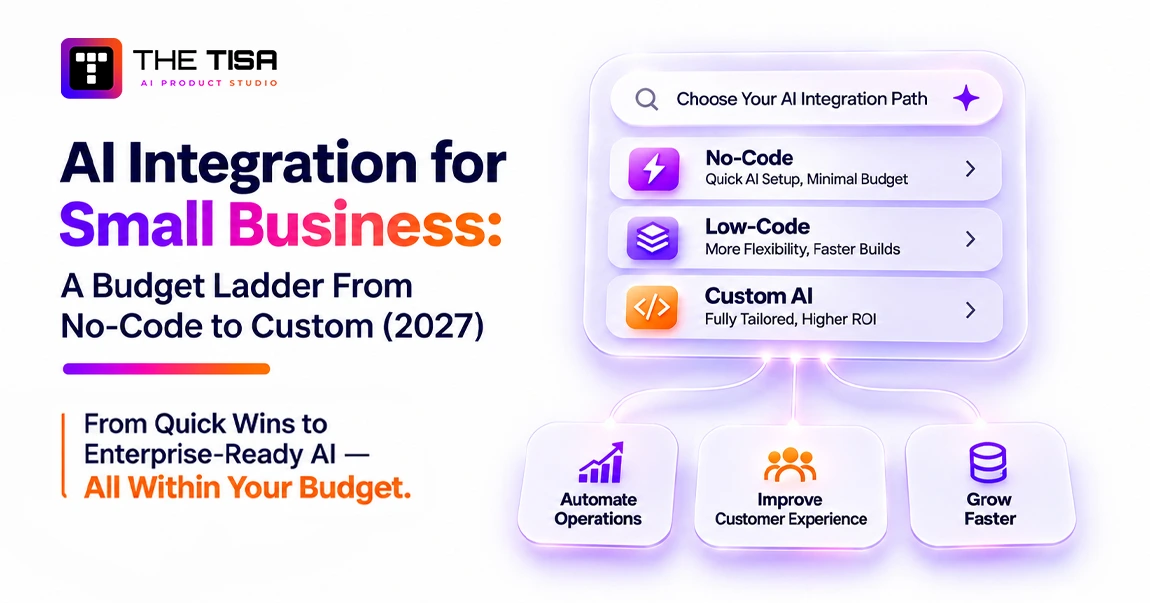
Not every small business needs custom AI development. Some can start with existing AI tools, while others need automation or deeper software integration. This five-rung ladder helps you compare the costs, timelines and requirements of each approach.
| Rung | What it looks like | Typical cost (planning range) | Time to value | Best for |
|---|---|---|---|---|
| 1. Built-in AI | AI features in Microsoft 365, Google Workspace, HubSpot or QuickBooks | $0-30/user/month | Days | Writing, summaries, meeting notes |
| 2. AI workspace | Team AI assistants with admin controls | $20-30/user/month | 1-2 weeks | Research, drafting, analysis |
| 3. No-code automation | Zapier, Make or n8n workflows with AI steps | $20-500/month | 2-6 weeks | Lead routing, ticket triage, data entry |
| 4. API integration | Developers connect an LLM API to your CRM, app or database | $10,000-40,000 build + usage | 6-12 weeks | Workflows connected to core systems |
| 5. Custom AI | Retrieval systems, AI agents and AI features within your product | $40,000-150,000+ build | 3-6 months | Proprietary data, product differentiation and scale |
These ranges are planning estimates for typical US projects, not fixed quotes. Rungs 1-3 show subscription costs, while rungs 4-5 show development costs. Usage fees, hosting and maintenance add to the cost of rungs 4 and 5.
Rungs 1 and 2 are where affordable AI integration for small businesses often starts. For example, ChatGPT Business costs $25 per user per month with monthly billing or $20 with annual billing. OpenAI does not use business workspace data to train its models by default. However, these tools usually need additional integrations to access or update business systems.
Rung 3 introduces no-code automation. Platforms like Zapier, Make and n8n connect applications through workflows. For example, a new form submission can trigger an AI step that processes the data and updates your CRM. Zapier’s free plan includes 100 tasks per month, while paid costs increase with usage and selected features.
Rungs 4 and 5 require developers to connect AI with core systems or build custom features. At this stage, AI implementation for small businesses involves architecture, testing, security and maintenance. Older software may lack APIs or contain inconsistent data, so adding AI to legacy systems often requires a phased approach rather than a complete rebuild.
Where Can Small Businesses Use AI Integration?
Small businesses can integrate AI into everyday workflows to reduce manual work and improve response times. The right approach depends on the task, available data and existing software.
| Business area | How AI integration works | Suggested budget rung |
|---|---|---|
| Customer support | Classifies support tickets, retrieves customer details and drafts replies for review. | Rung 3-4 |
| Sales | Qualifies incoming leads, updates CRM records and prepares follow-up messages. | Rung 3-4 |
| Accounting | Extracts invoice details, enters data into accounting software and flags exceptions. | Rung 3-4 |
| E-commerce | Connects customer questions with order details to prepare relevant responses. | Rung 3-4 |
| Internal knowledge | Uses retrieval-augmented generation (RAG) to find answers in company documents. | Rung 4-5 |
These budget rungs are starting points, not fixed requirements. Basic document-search tools may work at lower rungs, while more complex integrations require additional development. Start with a frequent, measurable task and keep human review in place for sensitive or high-impact decisions.
What Are No-Code AI Tools, and When Should You Use Them?
No-code AI tools let businesses automate tasks through visual workflows instead of writing code. Popular platforms include Zapier, Make, n8n (which supports self-hosting) and Microsoft Power Automate. Custom GPTs in ChatGPT serve a different purpose: they help users create specialized AI assistants rather than automate entire workflows across business applications.
These platforms support AI workflow automation by moving data between apps, classifying requests and drafting responses. They work best for straightforward workflows with moderate task volumes and results that employees can easily review. Complex business logic, strict data security requirements and high-volume usage may require more advanced configurations or custom integrations.
No-Code vs Custom AI Integration: Where Should You Draw the Line?
Not every business needs custom AI development. The right approach depends on your requirements and how AI fits into your existing systems.
| Signal | Stay no-code | Consider custom integration |
|---|---|---|
| Data sensitivity | Low-risk data with access controls | Sensitive data needing stricter controls |
| Volume | Moderate usage within platform limits | High usage with rising costs |
| Logic | Simple workflows with few exceptions | Complex workflows and business rules |
| Integrations | SaaS apps with ready connectors | Internal databases or legacy systems |
| Strategic value | Routine tasks and efficiency gains | Core processes or competitive advantage |
These signals help identify when custom development may be worth considering, but no single factor determines the answer. Compare development costs, subscription fees, usage charges and maintenance over two years before deciding. No-code may remain practical even as your business grows.
What Is the 30% Rule of AI?
The 30% rule of AI is an informal guideline for balancing AI automation with human involvement, not an established industry standard. According to SlashGear’s explanation of the 30% rule, AI can handle around 70% of routine work, while humans focus on the remaining 30% that requires judgment, creativity and critical thinking.
For small businesses, this is a suggested approach rather than a fixed target. Start with repetitive tasks such as invoice data entry, ticket tagging and drafting replies. Keep human review for decisions involving customer commitments, payments, sensitive information or compliance. The right balance depends on the risks and requirements of each workflow.
How to Integrate AI Into Your Small Business: A Six-Step Plan
The safest way to approach AI integration for small business is one workflow at a time:
- Pick one important workflow. Look for a task that happens regularly, follows a clear pattern and takes significant employee time.
- Audit the data. Identify where the required data lives, who owns it and whether it is accurate and complete.
- Start on the lowest rung that works. Test the idea using existing AI tools or no-code automation before investing in custom development.
- Set a baseline. Measure hours spent, response times or error rates before launch. Without a baseline, estimating AI integration costs and ROI becomes difficult.
- Pilot with human review. Run the pilot for 30 to 60 days, train employees on safe AI use, keep approvals in place for critical decisions and record failures.
- Scale or move up. If the pilot delivers results but faces limits in volume, security or system integrations, consider moving up a rung.
Common mistakes to avoid: Automating an inefficient process, allowing employees to enter sensitive customer data into unapproved AI tools, skipping output testing and launching without a responsible owner. Review relevant privacy and AI regulations before deployment.
Custom AI Development Cost: What Actually Drives the Bill?
The cost of custom AI development depends less on the model itself and more on the data, integrations and infrastructure around it.
- Data preparation. Cleaning, organizing and connecting your data sources often takes a significant share of the budget.
- Retrieval. Retrieval-augmented generation (RAG) lets AI answer questions using your own documents. It uses embeddings, numbers that represent meaning, and often stores them in a vector database to find relevant information. RAG is useful when answers must reflect your policies, product catalog or contracts.
- Agents. AI agents can carry out multi-step tasks, such as checking inventory and preparing an order. They need clear permissions, safeguards and thorough testing.
- MCP (Model Context Protocol). MCP is an open standard for connecting AI applications to external tools and data sources. It can reduce the need for separate connector code.
- Fine-tuning. Fine-tuning means training an existing model further using your own examples. Many small businesses can meet their needs with good prompts and RAG instead.
- Security. Access controls, audit logs, encryption and data residency requirements (where your data is stored) can add to development costs.
Cost example: A small business might spend $20,000 on a rung 4 API integration project: $5,000 for data preparation, $8,000 for development, $4,000 for testing and security, and $3,000 for deployment. This is an illustrative estimate, not a fixed quote.
After launch, you also pay for API usage, cloud hosting, monitoring and improvements. Setting aside 15-20% of the original build cost each year can serve as an initial maintenance estimate, although actual costs vary. Models change, APIs get updated and workflows need adjustments, so ongoing maintenance and support should be part of your budget from the start.


What Is the Best AI for a Small Business?
The best AI for a small business depends on the tasks you want to improve and the software you already use. No single tool works best for every business.
| Business need | AI tools or approach | Best suited for |
|---|---|---|
| Writing and research | ChatGPT Business, Claude or Gemini | Drafting content, research and summaries |
| Office productivity | Microsoft 365 Copilot or Gemini in Google Workspace | Emails, documents, meetings and spreadsheets |
| Workflow automation | Zapier, Make or n8n | Connecting apps and automating repetitive tasks |
| Customer support | AI features in your existing help desk | Ticket classification and drafting replies |
| Custom business needs | LLM API integration | Working with proprietary data and adding AI features to software |
Before investing, check three things: whether the tool connects to your existing systems, how the provider handles your business data and what it will cost as usage grows.
When Should Small Businesses Hire an AI Integration Partner?
Small businesses can often manage the first three budget rungs without external development support. However, things become more complex at rung 4, when AI needs to access production databases, respect user permissions and continue working reliably as business requirements grow.
That is often when US businesses consider hiring an AI integration and software development partner instead of relying on a tool vendor. The work becomes less about the AI model and more about engineering. This includes designing data pipelines, planning software architecture, setting up cloud deployment, testing AI outputs and controlling API usage costs.
THE TISA works with businesses at this stage. Projects typically begin with a short discovery phase to understand the workflow, audit the data and identify the right integration approach. Full-stack development, model integration, testing and deployment follow. One example is a project where THE TISA integrated OpenAI into an enterprise platform managing 6,400+ student records, with a focus on reliable data access and system performance.
When comparing AI integration services from any provider, look for:
- Experience with AI systems running in production, not just demos.
- A data audit before estimating development costs.
- A clearly defined discovery phase and project scope.
- A testing plan for AI outputs and system reliability.
- Clear terms covering code and intellectual property ownership.
- Maintenance and support after launch.
Some businesses need an implementation roadmap before they need custom development. Understanding the difference between AI consulting and AI development helps you define the project scope and select the right service.
Conclusion
AI integration for small businesses does not require a large budget from the start. It begins with one workflow, reliable data and a solution that fits your needs. Built-in AI tools and no-code automation can help businesses test ideas at a lower cost. Custom development becomes more relevant when workflows involve sensitive data, complex integrations or growing business requirements.
Before investing, review four things: the workflow you want to improve, where your data lives, the total cost as usage grows and who will maintain the system after launch. These decisions help you avoid unnecessary spending and build an AI solution that can support your business over time.
Frequently Asked Questions
Q1. How long does it take to integrate AI into an existing system?
Ans. A no-code workflow can go live in a few weeks. API integrations typically take 6 to 12 weeks, while custom systems involving retrieval or agents may take three to six months, depending on data quality and system complexity.
Q2. Do we need to build our own AI model?
Ans. Usually not. Small businesses can use existing models through APIs and connect their own data using retrieval. Fine-tuning may help with specialized tasks where existing models consistently fall short.
Q3. How do we measure ROI from AI integration?
Ans. Measure current performance using metrics such as time per task, response time, error rate or conversion rate. Compare the results after launch against total costs, including subscriptions, API usage, hosting and maintenance.
Q4. What are the biggest risks of AI integration?
Ans. Key risks include inaccurate outputs, sensitive data exposure, rising usage costs and vendor lock-in. Human review, access controls, cost monitoring and flexible architecture help reduce these risks.
Q5. Should we hire in-house AI engineers or outsource?
Ans. Building in-house expertise makes sense when AI is central to your long-term operations. For an initial integration, outsourcing can provide the required technical skills without hiring a full team.
Q6. What is the best AI integration for small businesses?
Ans. No-code tools like Zapier, Make and n8n are practical for small businesses with limited budgets and straightforward workflows. API integration is more suitable when AI needs to connect with existing business systems, while custom AI development makes sense for complex workflows, proprietary data or stricter security requirements.
Q7. What is an example of AI integration for a small business?
Ans. A small business can connect AI with its CRM to qualify incoming leads, update customer records and draft follow-up messages. It can start with no-code automation and consider API integration if lead volumes increase or existing tools cannot handle its business rules.
Planning AI Integration for Your Small Business?
AI integration for small businesses does not always require a large upfront investment. Talk to THE TISA about your business requirements, no-code automation options, API integrations, custom AI solutions, and budget to identify the right approach for your business.
Discuss Your AI Integration Project →